Video Generation Studio
Generate high-fidelity cinematic video clips directly from your browser. Input descriptive prompts, select a visual style, and let our generative diffusion models render high-resolution video tracks in minutes.
How Text to Video Works
Our online AI video maker simplifies standard workflows by using advanced temporal attention layers and spatial noise distribution to map key action coordinates dynamically.
Semantic Mapping: The compiler parses natural language prompts, isolating target subjects, actions, lighting elements, and environment details to direct the visual narrative.
Temporal Coherence: Custom models stabilize frames sequentially, ensuring clothing textures, characters, backgrounds, and motion states flow logically without morphing.
Physics Prediction: By analyzing millions of hours of video, the AI understands real-world physics—knowing that a thrown ball must travel in an arc and that rain makes surfaces appear wet and reflective.
Diffusion Over Time: The AI starts with a canvas of random "noise" and systematically refines it across both space and time until a fluid, moving scene emerges from the static.
Writing Effective Prompts: A Complete Guide
The quality of your generated video depends heavily on how you write your prompt. Here is a framework that consistently produces strong results:
The Four-Element Framework
1. Subject — What is in the scene? Be specific. Instead of "a man," write "an elderly man with a weathered face." Instead of "a car," write "a sleek silver sports car speeding."
2. Style — What visual aesthetic? Options include cinematic, 35mm film, anime, 3D render, documentary, vintage VHS, noir, and cyberpunk. Style keywords activate specific visual modes.
3. Motion — What camera movement? Specify "slow dolly zoom," "aerial drone shot pulling back," "handheld shaky cam," or "static tripod." Motion descriptions dramatically improve cinematic quality.
4. Atmosphere — What mood and lighting? Include details like "warm golden hour light," "flickering fluorescent tubes," "high contrast shadows," or "misty morning fog."
Prompt Examples by Quality Level
What You Can Create
Text to video AI excels at certain types of content and has known limitations. Understanding both helps you get the best results.
Strengths
- Atmospheric environments — Drifting fog, falling snow, flickering candlelight, and heat haze produce incredibly immersive results.
- Stylized animation — From 3D claymation and paper-cut styles to vibrant cyberpunk anime, artistic visuals flow seamlessly.
- Slow-motion cinematography — High-detail shots of liquid splashes, sparks, or fabric movement show off the model's physics understanding.
- Dynamic transitions — Morphing objects, color shifts, and surreal dream-like sequences work exceptionally well.
Current Limitations
- High-speed athletics — Extremely fast, complex human movements like sprinting or gymnastics can occasionally cause visual artifacts.
- Logical consistency — Maintaining identical small details (like the number of buttons on a coat) over very long clips remains a challenge.
- Specific legible text — While improving, the model may struggle to render specific, small-font sentences perfectly within a moving scene.
- Direct eye contact — Achieving perfectly sustained eye contact with the camera during complex head rotations can be difficult for the AI.
Real-World Use Cases
E-commerce and product ads — Generate high-quality product showcases and 360-degree rotations for online storefronts. Use AI to create stylized backgrounds that make physical products pop without a studio setup.
Film and concept pre-viz — Rapidly storyboard entire scenes to visualize lighting, camera angles, and character movement. Directors use this to "sketch" their vision before moving into expensive 3D production.
Architectural walkthroughs — Transform floor plans and static 3D renders into cinematic fly-throughs. Presenting clients with a living, moving view of their future space helps close deals faster than static images.
Game development assets — Create unique character introductions, background ambient animations, or cinematic cutscenes. Smaller indie studios use text-to-video to achieve AAA-level visual storytelling.
Technical Specifications
Popular Use Cases for Video Generation Studio
Empower your creativity with our all-in-one studio. From cinematic AI generations to high-end video enhancement, create content that captivates your audience.
AI Storytelling
Turn your scripts into cinematic visuals. Generate realistic scenes with professional lighting and motion using our advanced AI video engines.
Cinematic Enhancer
Upscale low-quality footage to 4K resolution. Remove noise and add cinematic color grading to make your videos look like Hollywood productions.
Marketing & Ads
Create high-converting video ads for Instagram and TikTok. Use AI presenters and stunning visuals to boost your brand's engagement and reach.
Corporate Clips
Professionalize your company announcements and demos. Transform raw footage into polished, high-definition presentations with ease.
How to Use in 3 Simple Steps
Generate professional-grade outputs with zero technical complexity in under 60 seconds.
Upload Image or Text
Start with a starting photo or detailed cinematic prompt.
Set Camera Dynamics
Choose zoom, pan, tilt, and lighting atmosphere.
Generate 4K Video
Export high-fidelity, Hollywood-grade video production.
Privacy & Zero-Retention
Your uploaded media and prompts are processed securely in ephemeral volatile memory and immediately purged post-generation. We never store personal biometrics, and your data is never used to train public AI models.
100% Commercial Rights
You retain full, unrestricted commercial ownership of all assets generated. Cleared and royalty-free for YouTube monetization, client projects, advertising campaigns, and streaming broadcasts without copyright strikes.
AI Model Transparency
Powered by Wan 2.2 Foundation Video Engine. State-of-the-art 14B parameter generative video model producing realistic physical dynamics. Open neural architecture with unwatermarked lossless outputs.
Master AI Video Studio: Related Tutorials
In-depth workflows and expert tutorials written by our production team.
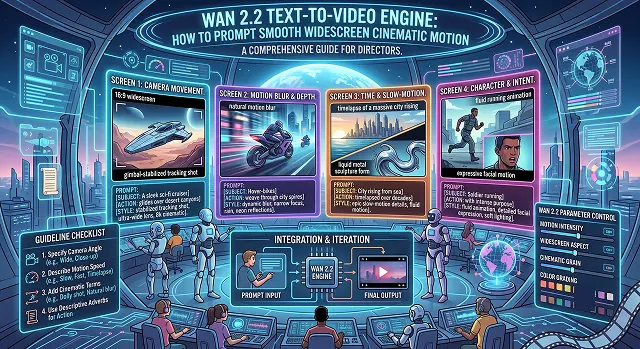
Wan 2.2 Text-to-Video Engine: How to Prompt Smooth Widescreen Cinematic Motion
Wan 2.2 vs. Runway Gen-3: The Ultimate Free AI Video Generator Showdown
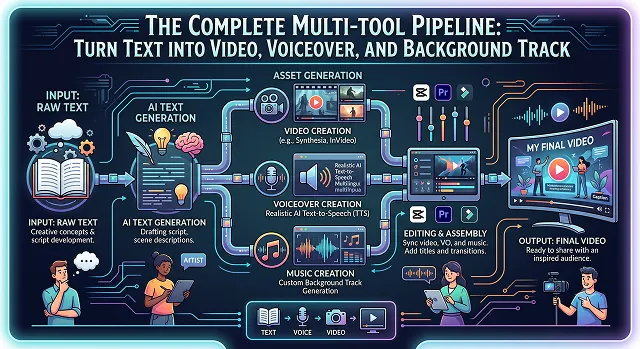
The Complete Multi-Tool Pipeline: Turn Text into Video, Voiceover, and Background Track
Text to Video FAQ
Everything you need to know about turning text into high-fidelity motion pictures.
Generation time typically ranges from 60 seconds to 3 minutes depending on the complexity of the prompt and current server load. High-resolution upscaling may add additional processing time.
Yes. You can use specific Director Keywords like "pan left," "dolly zoom," or "low-angle tracking shot." Our advanced editor also features a "Camera Director" tool for precise manual control.
Our Video Studio focuses on generating high-fidelity visual motion. To add dialogue, sound effects, or soundtracks, you can seamlessly pair your generated clips with our integrated AI Music Generator and AI Voice Cloning tools.
Standard generations produce clips between 5 and 10 seconds. For longer narratives, you can use our "Extend Video" feature which uses the last frame to maintain perfect continuity.