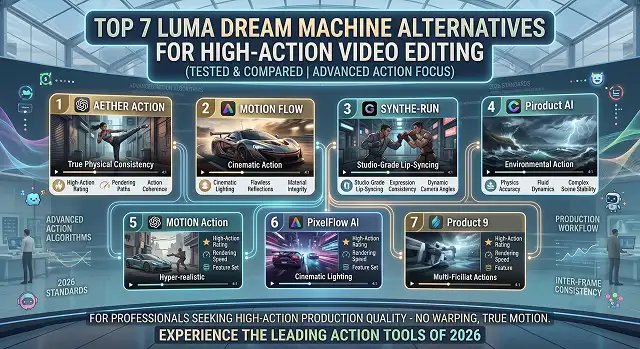
Luma’s Dream Machine made waves across the internet for its raw speed and ability to instantly visualize concepts. However, anyone editing high-action sequences—like rapid car chases, explosive combat scenes, or intense sports reels—knows where it hits a wall. Under extreme movement, objects can start warping, fast-moving limbs often duplicate, and the underlying physics engine can completely break apart.
Editing high-action footage requires an AI that is familiar with kinetic energy and inertia as well as fast spatial tracking.
In case you’re looking to take action films, games editing, and short-form videos to a whole new level, then here are the 7 best alternatives to Luma Dream Machine in 2026.
1. Kling AI 3.0 – The Heavy Impact Champion
Kling AI 3.0 has established itself as the go-to tool for creators whose videos feature complex, real-world physics. Where other tools fail when objects collide or interact heavily, Kling shines. If you prompt a martial artist striking a wooden dummy or a vehicle crashing through a wall, the shards, debris, and fluid splatters react with shocking realism.
- Pros: Native synchronized audio-and-video generation; handles complex physical constraints like pouring water, flying dust, and cooking seamlessly.
- Cons: Can sometimes take longer to render during high-traffic peak hours.
- Why it beats Luma: It avoids the "phantom limbs" effect entirely during rapid, multi-joint human movements.
2. Alibaba Wan 2.5 – The Physics Powerhouse
Wan is an open-source model by Alibaba, which is one of the finest technical implementations available to track body movements within an open environment. The architecture of Wan is quite advanced and designed for motion intelligence, allowing it to provide flawless trajectories even for quick twists, parkour jumps, and acrobatics.
- Pros: An open-source architecture that can be executed locally with no costs other than a good GPU; works great with 1080p resolution and film-native frame rate (24 fps).
- Cons: There may be slight blurring of details when there is rapid camera panning with simultaneous subject movement.
- Why it beats Luma: It maintains crisp environmental boundaries, preventing background scenery from melting or blending into a fast-moving actor.
3. Runway Gen-4.5 – The Professional Director’s Suite
When it comes to fine-tuned post-production, Runway is definitely a leader. If your video features dynamic movements, there is no point using text blocks. Using Runway's Multi-Motion Brush, you will be able to paint over several different sections within a single static picture, assigning a particular speed to every one of them and, for example, making your scene look like there is a train running left, rain falling diagonally and a crowd moving right.
- Pros: Superior quality studio tools for editing (including inpainting and outpainting); great for professional use.
- Cons: Complicated interface for absolute beginners.
- Why it beats Luma: Exact settings of the camera make sure that the effect is precise, rather than random.
4. OpenAI Sora 2.0 – The Cinematic Gold Standard
If you have access via ChatGPT Plus or Pro, Sora 2.0 is the most semantically intelligent model available. Sora doesn’t just render movement; it understands why things move. If an explosion occurs off-screen, Sora knows exactly how the lighting, shadows, and reflections should dynamically flicker across a character’s face.
- Pros: Unrivaled narrative consistency; generates long, continuous, high-fidelity tracking shots without losing track of objects.
- Cons: Premium tier costs are high, and standalone public developer APIs remain restricted.
- Why it beats Luma: It easily manages multi-character fight choreography or ensemble sports shots where Luma tends to blend people together.
The 2026 High-Action AI Video Leaderboard
Physics Benchmarks · Motion Trajectory Matrix
| Platform | Best For | Max Quality | Motion & Physics Strength |
|---|---|---|---|
| Kling AI (3.0) | Complex physical interactions | 1080p |
★★★★★
Best for fluid, heavy physical macro movements.
|
| Alibaba Wan (2.5/2.6) | True motion trajectories | 1080p @ 24fps |
★★★★★
(Flawless skeletal structure and physics tracking accuracy)
|
| Runway (Gen-4.5) | Directorial camera steering | Native 4K |
★★★★☆
(Industry-standard motion brush control systems)
|
| OpenAI Sora (2.0) | Multi-shot story sequences | Premium 4K |
★★★★☆
(Hollywood-grade coherent and semantic motion consistency)
|
| Google Veo (3.1) | Photorealistic lighting & tracking | True 4K |
★★★★☆
(Impeccable structural tracking and environmental lighting changes)
|
| PixVerse (V6) | Rapid multi-angle action testing | 1080p |
★★★★☆
Ideal for fast editing and high-speed iteration pipelines.
|
| Pika (2.5) | Fast, stylized physics effects | 1080p |
★★★☆☆
Great for controlled changes and quick stylized character pops.
|
Request A Custom AI Video
Tell us what you're trying to create and we'll point you to the right tool — or help you set it up.
5. Google Veo 3.1 – The Photorealistic Lighting Master
This product of Google through DeepMind technology, known as Google Veo 3.1, enjoys a reputation that is second to none in its unparalleled management of volumetric lighting, lens flares, and environmental shadows. For action sequences in bright daylight with dirt bike rides making mud splashes or at night, Veo makes it look real.
- Pros: Native 4K-class outputs; exceptional storyboard multi-angle sequencing tools that minimize visual style drift.
- Cons: Access is mostly funneled through Google VideoFX or Vertex AI, which requires a subscription or developer tier.
- Why it beats Luma: Its tracking of light and reflections across moving metal surfaces (like speeding cars) is physically flawless.
6. PixVerse V6 – The Fast Iteration King
In case you happen to be an editor managing a rapidly moving social media platform, there will be no time for you to spend ten minutes on rendering one clip only. PixVerse V6 is designed to work fast. It has special transition engines which allow combining two action shots in just one go.
- Pros: Rapid rendering speeds for quick conceptualizing; excellent reference-image locking tools that prevent character style drift.
- Cons: Pure texture detail in deep background crowds can look slightly softer than Sora or Veo.
- Why it beats Luma: The native multi-angle setup allows you to test an action sequence from 3 different camera sides simultaneously.
7. Pika 2.5 – The Special Effects Playground
The concept of Pika 2.5’s motion capture is rather innovative and artistic in nature. Even though it’s capable of producing realistic movements, the true power of Pika 2.5 lies in its ability to do things that are otherwise impossible to achieve – like destroying, deflating, crushing, and turning any selected object into a piece of cake.
- Pros: Super fun and entertaining TikTok/Reels editing tool; ultrafast rendering capabilities.
- Cons: Clip generation scales short, meaning it is not meant for long-form narrative film projects.
- Why it beats Luma: It turns complex object manipulation and physics modifications into a one-click process.
The Workflow: Editing an Action Sequence with AI
To build a high-octane action sequence that stays crisp and coherent, professionals never rely on a single text prompt. Use this Image-to-Video Multi-Model Pipeline:
1. Establish the High-Res Action Keyframe
- Generate your static character or vehicle layout in a dedicated image model like Midjourney or Flux first. Make sure the pose implies direction (e.g., a car angled sharply around a turn). This locks your geometry before motion forces are applied.
2. Isolate and Restrict the Motion Prompt
- Upload your keyframe into Alibaba Wan or Kling AI. Strip out descriptions of what the car looks like. Focus entirely on kinetic words: "Camera cuts hard to a low-angle tracking shot, tires spin aggressively kicking up smoke, asphalt sparks."
3. Set a Conservative Motion Scale
- Keep your motion multiplier sliders set low (between 3 and 5 out of 10). Let the camera vectors do the heavy lifting rather than forcing the pixels to stretch. High motion weights break 3D depth spatial awareness.
4. Splice Cuts on the Audio Peaks
- Import your short 4-second action bursts into your editor. Cut your scenes precisely on drum kicks or heavy bass drops. Add a deep, sub-bass riser or mechanical camera-whoosh audio effect over the transition to hide any minor AI texture shifts.
High-Action AI Alternatives
Discover the top 7 engines built to master complex physical motion, combat scenes, and rapid camera tracks.
The top 7 alternatives tested for action physics include: Seedance 2.0 (by ByteDance) (best for professional speed and heavy body weight), Runway Gen-4 (the industry leader for director-level camera paths), Kling AI 3.0 (best for human physics and fast-paced social cuts), OpenAI Sora 2 (the benchmark for hyper-realistic high-end action), Google Veo 3.1 (best for cinematic spatial consistency), Hailuo AI (Minimax) (excellent for rapid camera-direction response), and Pika Labs (perfect for rapid social edits and unique visual fx).
Seedance 2.0 wins this category decisively. While many video models generate floaty, weightless motion, Seedance uses advanced skeletal tracking that respects human body mass. It prevents the "noodle-limb" glitch common during rapid combat or acrobatic movements, giving jumps, kicks, and flips a true sense of physical momentum.
Background distortion happens when an AI lacks complex spatial understanding. To bypass this, deploy Google Veo 3.1 or Runway Gen-4. These platforms treat your scene as a true 3D space. When you apply an intense camera pan or dolly zoom, the model calculates depth layers accurately, keeping walls, streets, and horizons locked in place while your subject races across the screen.
Kling AI 3.0 is the undisputed workhorse for high-volume social output. Its generations are slightly more saturated and fast-paced natively, making it a perfect fit for TikTok, Reels, and YouTube Shorts. It provides near flagship quality and robust character consistency for a fraction of the cost of premium cinematic suites.
Traditional AI models require you to generate one single shot at a time and stitch them later. Runway Gen-4 changes this by allowing you to define sequential camera cuts inside a single prompt project. For example, you can script a wide action sequence that automatically cuts to a sudden tracking close-up, maintaining continuity without shifting assets.
If your action clip requires explosions, dust clouds, or shattering physics, use Pika Labs or OpenAI Sora 2. Pika features specialized rendering macros (Pikaffects like Explode, Melt, and Shatter) built to handle sudden element destruction instantly. Sora 2 handles it via advanced physical simulators, managing how fire, smoke, and debris scatter across ambient lighting structures.
Stick to a highly secure Image-to-Video baseline workflow. Never type raw text variables directly into an action sequence—the AI will scramble face structures during fast moves. Generate a clean static image layout of your performer first. Next, load that anchor frame into an engine like Seedance or Kling, apply strict camera movement parameters, and run a low-resolution test clip to lock down velocity bounds before exporting your final timeline master.
Ready to try AI Videos?
Transform your ideas into cinematic video in seconds.