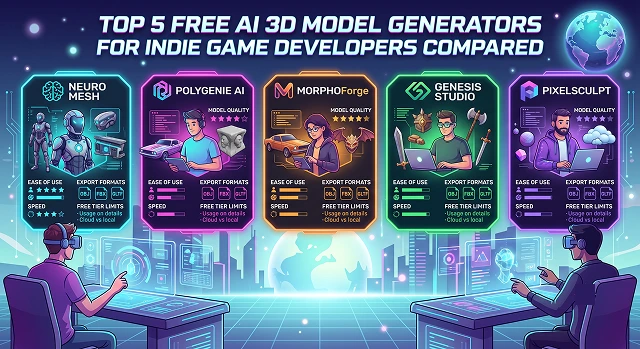
For indie game designers, creating 3D assets is always the most difficult part of game production. Designing all these boxes, weapons, and backgrounds takes weeks of development time. With today's AI, one can simply generate all these 3D assets from text descriptions or 2D illustrations.
Nevertheless, many AI programs keep their export functions locked behind costly paywalls or remove commercial rights from free versions of their apps. To safeguard your development process, this guide will help you compare the best 5 free AI 3D model generators for indie game design.
1. Tripo AI: Best for Fast Character Prototypes
Tripo AI is a browser-based powerhouse designed directly for game pipelines. It provides an excellent entry point for indies who need characters ready to move.
- The Core Flow: It converts a simple text prompt into a fully realized 3D mesh in under a minute.
- The Indie Advantage: Tripo includes a built-in auto-rigging engine. You can generate a humanoid creature, hit rig, and export an animation-ready skeleton straight to Unreal Engine or Unity. The topology leans heavily toward clean quad layouts, meaning less cleanup work in Blender.
2. Meshy: Best for Low-Poly Game Props
Meshy is widely recognized for its robust texturing tools and highly intuitive user interface.
- The Core Flow: It excels at both text-to-3D and image-to-3D, generating comprehensive PBR (Physically Based Rendering) material maps alongside your model.
- The Indie Advantage: Unlike general mesh creators, Meshy features a dedicated "Low Poly" toggle built specifically for real-time game performance. This setting keeps the poly-count low while baking fine structural details directly into the texture maps. Its free tier generously retains commercial usage rights, a crucial check for commercial developers.
3. 3D AI Studio: Best for Platform Flexibility
In case you are switching from one tool to another since one algorithm performs well with organic models and another with mechanical ones, 3D AI Studio becomes an aggregator for you.
- The Core Flow: Rather than limiting you to a proprietary algorithm, its dashboard enables you to use several algorithms, both open-source and proprietary (such as Tripo, Rodin, and Meshy), all powered by the same text prompt.
- The Indie Advantage: It provides an interactive 3D scene previewer that allows you to review structural results across different engines before committing to an download. This model flexibility makes it a powerful asset for rapid style guide matching.
4. Hunyuan3D: Best Free Open-Source Precision
For developers who refuse to deal with token limits, monthly subscription fees, or cloud server queues, Tencent’s open-source Hunyuan3D model is an exceptional self-hosted choice.
- The Core Flow: It runs as a local image-to-3D generation system. You supply a piece of 2D concept art, and your local graphics card processes the dimensions into a 3D asset.
- The Indie Advantage: Hunyuan3D prioritizes geometric structural accuracy over surface paint aesthetics. If you are generating complex environmental architecture, vehicle components, or mechanical props, it provides high dimensional precision. Running it locally requires zero cloud costs, though a dedicated NVIDIA GPU is recommended for optimal performance.
The Free AI 3D Generator Showdown
Asset Engine Benchmarks · Topology & Allowance Index
| Tool Name | Best For | Free Tier Allowance | Topology Quality |
|---|---|---|---|
| Tripo AI | Rapid Prototyping & Characters | Generous free monthly credits | Clean. Excellent quad mesh and auto-uv maps. |
| Meshy | Prop Creation & Texturing | ~200 free monthly credits (incl. commercial rights) | Standard. Great basic poly configuration. |
| 3D AI Studio | Multi-Model Aggregation | Free basic tier via open community tools. | Variable. Depends on the underlying model chosen. |
| Hunyuan3D | High-Accuracy Hard Surfaces | 100% Free. Permanently open-source. | Highly Precise. Built for CAD/prop orientation. |
| Trellis 2 | Photorealistic Organic Shapes | 100% Free. Open-source local execution. | Dense. High density that requires retopology. |
Request A Custom AI Video
Tell us what you're trying to create and we'll point you to the right tool — or help you set it up.
5. Trellis 2: Best for Complex Organic Detail
Trellis 2 is another top-tier open-source model optimized for local desktop deployment. It stands out as a premier generator for character details.
- The Core Flow: Utilizing advanced multi-image input support, it handles complex, asymmetrical 2D concepts and builds matching 3D structures out of them.
- The Indie Advantage: The resulting Trellis 2 meshes feature high-definition organic forms, which make them perfect for creating individual monster meshes or plant life on other planets. However, Trellis 2 meshes are quite dense and will need to be run through an automated Remeshing application or the Blender decimator.
The Production Workflow: From Text Prompt to Game Engine
To integrate these free AI generation tools into your asset pipeline effectively, stick to this production sequence:
1. Generate the Concept Draft
- Input your target prompt or source art into a browser tool like Meshy or Tripo. If generating a character, append the phrases "T-Pose" or "A-Pose" directly to your prompt to ensure the output is configured for standard animation rigs.
2. Optimizing Topology
- Export it as. GLB or. OBJ then load it into blender. Use either an automatic decimation modifier or AI remeshing tool to eliminate the dense clusters of triangles and optimize your polygon topology.
3. UV Unwrapping & Texturing
- Run an automatic UV unwrap pass inside your editor. If the initial colors generated by the AI look slightly washed out, use a PBR material painter (like Adobe Substance or a dedicated AI texture projector) to map clean diffuse, normal, and roughness maps across your new layout.
4. Game Engine Ingestion
- Export your optimized asset to a game-ready format—normally .FBX or .GLB/glTF depending on whether you’re working in web or not. Just drag and drop your asset right into your game engine such as Unity, Unreal, or Godot and place it right into your scene.
Technical SEO Strategy for Game Dev Content
If you are blogging about your indie game's development process or building tutorials around your AI asset pipeline, use this optimization framework to maximize visibility:
1. Focus on Target Pipeline Integrations
Indie developers don't look up generic asset terms. They search for software compatibility. Include target software and engines directly in your title frameworks and page metadata:
- Weak Title: "Making 3D models with AI"
- Strong SEO Title: "How to Generate Free AI 3D Assets for Godot and Unity Pipelines"
2. Integrate Interactive 3D Web Viewer
- Rather than displaying static 2D images of your models, integrate interactive 3D web viewer components into your webpage. The ability of visitors to move around, rotate, and examine your AI-assisted creations is important for Dwell Time increase that indicates high user engagement from the perspective of search algorithms.
3. Supply Open GitHub/Drive Project Downloads
- Provide a call-to-action link offering a free download of your cleaned, engine-ready asset pack. Search engine crawlers look favorably upon pages that link to downloadable utility assets. This structural addition drives high-intent traffic, earning your domain valuable backlink opportunities across indie game forums and development communities.
Free 3D AI Asset Engines
Compare the top zero-cost 3D mesh pipelines to find the cleanest engine-ready models for your game project.
The top 5 free frameworks compared for game development are: Meshy (generous recurring monthly tokens with full commercial rights), Tripo3D (known for the fastest 35-second draft generations and remarkably clean baseline topology), Sloyd.AI (optimized for low-poly, stylized meshes with automatic UV mapping), 3D AI Studio (a flexible browser aggregator letting you test multiple open engines simultaneously), and Hunyuan3D / Trellis 2 (fully open-source, providing unlimited generations if you host them locally).
Many standard AI generators throw messy, chaotic wireframe triangles at an object, which crashes game engine performance and makes the model impossible to animate. Game-Ready Topology means the model features clean, orderly geometric structures optimized for real-time physics engines. Tools like Tripo3D and Sloyd excel here by intentionally restructuring the wireframe paths, drastically cutting down on manual cleanup time.
Always double-check terms, but Meshy and Tripo3D explicitly grant full commercial usage rights right on their free subscription tiers. Open-source models like Hunyuan3D or Trellis carry permissive, zero-cost developer licensing. However, some web platforms restrict free exports to non-commercial portfolios, meaning you will need a low-cost upgrade before pushing those specific assets to commercial platforms like Steam or the Epic Games Store.
For rapid brainstorming, level blockouts, or background filler props, typing direct phrases into Text-to-3D saves massive amounts of time. However, if your asset needs to look exactly like your conceptual design sketch, always use Image-to-3D. Feeding a clean 2D drawing into Meshy or CSM anchors the geometric model generation, locking down handle lengths, blade curves, and proportions exactly.
The absolute standard target format is .GLB or .FBX. The massive benefit of exporting a `.GLB` file from tools like Sloyd or Meshy is that it bundles the core geometry mesh, UV coordinate tracks, and full texture layout files into one single, compressed drop-in file. This lets you drag the asset straight into your engine's project folders without manually setting up texture materials from scratch.
Before hitting render, open your generation advanced options sheet. Platforms like Meshy and Ludo allow you to explicitly select a "Low Poly" configuration or set a target polycount limit (e.g., locking a prop to less than 3,000 triangles). The engine's built-in retopology and decimation modules will strip away wasteful, invisible polygons while preserving your item's overall silhouette.
Adhere strictly to this secure 3-Step Optimization Pipeline: First, run your stylized 2D concept image directly through an engine like Meshy or Tripo to build the initial high-resolution mesh map. Second, apply the platform's automated retopology or remesh filters to collapse excessive wireframe triangles. Finally, export the asset as a unified `.GLB` file, verify the scale bounds inside Blender, and drop it straight into your game workspace.
Ready to try AI Videos?
Transform your ideas into cinematic video in seconds.