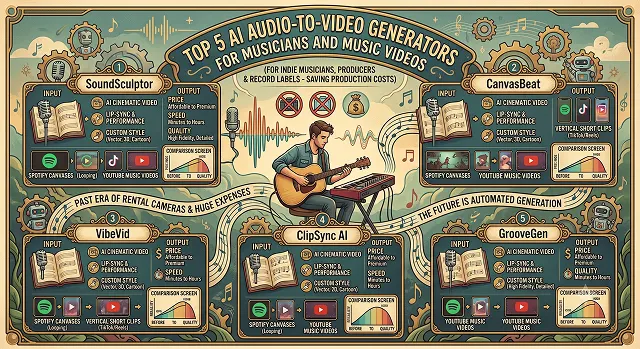
It has become essential for indie musicians, producers, and record labels to focus on the visual aspect of their music. This includes Spotify's requirement for looping Canvas, TikTok and Instagram Reels' need for vertical short clips, and YouTube's preference for music videos. However, shooting music videos involves huge expenses when it comes to renting cameras, employing directors, etc.
In 2026, audio-reactive AI video generators became an answer to that problem.
The best tools don’t just slap random stock clips over a song; they actively read your audio stems, map out the beats per minute (BPM), listen for track drops, and adjust visual movement natively to the rhythm. Here is our hands-on review of the top 5 best AI audio-to-video tools for musicians, tested for sync accuracy, visual quality, and ease of use.
1. Neural Frames – The Ultimate Producer’s Sandbox
Neural Frames is widely considered the most advanced tool built specifically for music creators. Instead of treating your audio like a single flat file, Neural Frames analyzes the track's structure. It maps out your baseline, melodies, and vocals into 10+ controllable parameters that dictate how the AI moves pixels.
- How it works: You upload your track, select an underlying model (like Kling or Runway Gen-3 underlying architecture), and direct it shot-by-shot. When the bass drops, the camera can automatically zoom out; when a synth kicks in, colors shift.
- Pros: Native 4K exports included; incredible audio-reactive camera controls; "Smart Lyrics" burns kinetic text directly into the frame.
- Cons: Deep settings require a slight learning curve to master frame modulation.
- Best Suited For: Electronic producers, dark ambient artists, and directors wanting total control over every transition.
2. One More Shot AI – Flawless Virtual Performance & Lip-Sync
If your track features a heavy vocal hook or a virtual singer, One More Shot AI is the leader in performance-style music videos. Powered by the latest 2026 Seedance 2.0 engine, it hosts unmatched facial geometry alignment, making your characters sing your uploaded audio without the classic "jaw-warping" glitches.
- How it works: You upload your audio track and either describe your artist or upload a single reference portrait. The AI acts as your production crew, establishing stable character continuity over a full-length video clip.
- Pros: Natural-looking mouth and blinking animations; "Content Studio" bundle automatically packages Spotify Canvas, banners, and pre-save art in one click.
- Cons: Primarily prioritizes performance and stage appeal over theoretical physics.
- Best Suited For: Singer-songwriters, hip-hop artists and virtual content creators constructing a visual persona.
3. freebeat AI – The One-Click Viral Short Generator
freebeat AI is built explicitly for speed and rhythm. It is popular because of its automated "Music Video Agent." If you don't want to spend an afternoon adjusting parameters, freebeat allows you to paste a link or file and walks you to a complete video file in seconds.
- How it works: You upload your song or paste a direct link from Suno, Udio, or YouTube. The AI instantly calculates the song structure and slices scenes automatically on the beat.
- Pros: Zero editing or technical skill required; offers a "Realtime Music Video" mode where you watch visuals generate live as your song plays.
- Cons: Lacks the layer-by-layer specificity available in Neural Frames.
- Best Suited For: Music artists looking to scale up daily video content marketing for YouTube Shorts, Instagram Reels, and TikTok.
The 2026 AI Music Video Toolkit: At a Glance
Audio Reactive Synthesis · Sync Precision Framework
| Platform | Best For | Visual Output Style | Sync Precision |
|---|---|---|---|
| Neural Frames | Full Cinematic Control | Hyper-Realistic, Abstract, Vibe-Heavy |
★★★★★
Splits stems & tracks automatically for micro-syncing.
|
| One More Shot AI | Virtual Artists & Lip-Sync | Photorealistic Singer Performances |
★★★★★
Flawless singing cadence mapping.
|
| freebeat AI | Fast Viral Shorts & TikToks | Upbeat, High-Energy Visualizers |
★★★★☆
Locks visuals automatically to the BPM beat grid.
|
| Kaiber AI | Dynamic Animation & Morphing | Cyberpunk, Anime, Watercolor Art |
★★★★☆
Excellent reactive camera drift mechanics.
|
| Revid AI | Social Lyric Videos & Canvas | Lyric Slideshows, Loop Captions |
★★★☆☆
Best for text layout and basic timing parameters.
|
Request A Custom AI Video
Tell us what you're trying to create and we'll point you to the right tool — or help you set it up.
4. Kaiber AI – The Artistic Master of Morphing
Kaiber AI is an iconic tool for creators, known as the means of producing official tour visuals and videos for popular rock and electronic artists. The application is good at organic, evolving artistic aesthetics that blend effortlessly with vast sonic landscapes.
- How it works: Select your track, choose your style of illustration (for example, 3D dark fantasy, retro oil paintings, neon cyberpunk), and select an audio responsiveness measurement. Your canvas will breathe, explode, and transform in accordance with the loudness of your track.
- Pros: Hypnotic, artistic textures that never feel basic or stock-like; great frame-to-frame interpolation.
- Cons: Can be expensive for indie artists if generating massive multi-minute 4K rendering sheets.
- Pros: Rock, Heavy Metal, Psychedelic music, and lofi hip hop.
5. Revid AI – The High-Conversion Social Canvas
Revid AI sits somewhere between a pure video editor and a graphic design tool. If you aren't looking for a cinematic movie but need a highly engaging, professional visualizer that burns your lyrics onto the screen for social media ads, Revid handles it flawlessly.
- How it works: Drop your track into the view, pick vertical format, and the AI automatically syncs text templates to your lyrics while rendering mood-matched ambient backgrounds behind them.
- Pros: Perfect tool for lowering video editing costs for quick release alerts; clean caption typography.
- Cons: Functions more like a premium, dynamic audio visualizer slideshow rather than an immersive, plot-driven movie.
- Pros: Indie musicians managing their own marketing campaigns and Spotify looping assets.
Step-by-Step: How to Launch a Perfect AI Music Video
To get professional-grade video that drives audience engagement and saves your rendering credits, utilize this production pipeline:
1. Bounce Your Audio Stems Separately
- Don't just upload a muddy final mix if a tool allows multi-track inputs. Upload a clean vocal stem or a high-energy drum track separately. AI models synchronize much cleaner when tracking a sharp, punchy snare drum than a full acoustic master track.
2. Format for Your Target Platform First
- Before you go to render, fix your aspect ratio, you want to have a 16:9 ratio for youtube widescreen cinematic looks, or if it's going to be a short vertical clip for the youtube or tiktok Shorts then you would use a 9:16 ratio. Cropping that wide screen ai video down to fix that comp later would completely destroy the composition that you were creating earlier.
3. Set Consistent Character Anchor Images
- If using platforms like One More Shot AI or Neural Frames, upload 2 or 3 baseline images of your main character/artist first to train the clip. This stops the performer from changing clothing or facial structures every time the scene transitions.
4. Apply a 4K Spatial Upscale Pass
- Export your finished track edit. If your platform doesn't offer native 4K upscaling on its base tier, feed the output through an external tool to remove digital rendering compression before uploading to streaming channels.
Audio-Reactive Video Toolkit
Discover the top platforms built to translate musical rhythms and audio stems into stunning 4K music videos.
The top 5 tools leading the 2026 music space are: Neural Frames (the best overall for 8-stem audio mapping and timeline control), Freebeat (the gold standard for full-length narrative structures and automated beat-syncing), PixVerse VibeMV AI (perfect for rapid, subtitle-integrated social MVs from a single audio file), Kaiber.ai (best for heavily stylized cyberpunk and anime visual loops), and Rotor Videos (ideal for rapid template-based promotional release content).
Instead of just guessing, advanced tools run a Multi-Stem Spectral Analysis. When you upload a track, the software breaks the audio file down into distinct channels—separating the drums, bass, vocals, and melodies. It links these frequencies directly to visual parameters, allowing a heavy kick drum punch to force camera shakes, while a rising synth hook scales the color saturation automatically.
Yes, tools like Freebeat and Neural Frames feature built-in Arrangement Detection. The engine tracks dynamic shifts and structural thresholds over the runtime. When the song hits a mellow verse, the AI generates longer, sweeping cinematic camera tracks. The millisecond the audio transitions into a high-energy chorus or massive beat drop, the system rapidly fires dense cut pacing and aggressive motion patterns.
Yes, this is known as a Smart Lyric Video layer, handled beautifully by PixVerse VibeMV and Freebeat. The AI runs natural language audio parsing to transcribe vocals, maps out the timeline timestamps, and presents a text editing block for verification. You lock in a bold layout font, and the generator overlays kinetic typography perfectly matched to the singer's vocal cadence.
Avoid simple text prompt entries for character scenes. Utilize Latent Reference Embedding features available inside PixVerse and Neural Frames. By uploading a single clear photograph of your band member or artist avatar as a fixed character lock layer, the tool pins down the physical likeness, allowing the background aesthetic to swirl dynamically while keeping the performer recognizable.
No, as long as you generate the asset under a standard commercial tier subscription, you hold 100% full commercial ownership rights. Major platforms like Neural Frames explicitly document that they claim zero backend cuts from streaming distributions, sync fees, ad monetization payouts, or digital single sales.
Isolate your loops to the core hooks. Pick an 8-second vertical window of your absolute catchiest chorus line. Upload that specific section to Kaiber or Neural Frames, toggle on the "Infinite Loop" mathematical framing option, and generate a highly colorful, stylized background space. A seamless, infinite visual loop keeps mobile listeners anchored to your stream far longer.
Ready to try AI Videos?
Transform your ideas into cinematic video in seconds.