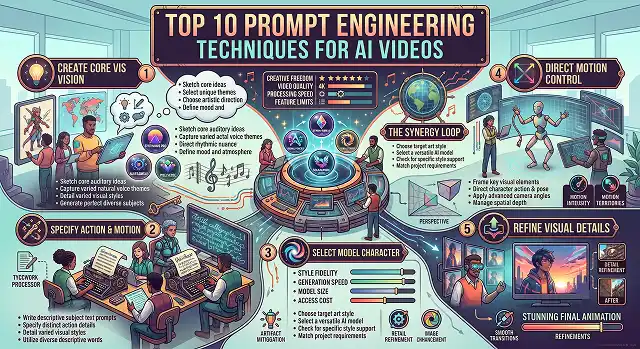
The era of typing vague "vibes-based" text prompts like "cool cyberpunk city movie look" and hoping for a usable video render is over. Modern AI video engines—such as Sora 2, Google Veo 3.1, Kling 3.0, and Wan 2.2—utilize advanced Diffusion Transformers (DiTs) that require precise, directable inputs.
The transformation from Prompt engineering to Technical Orchestration in relation to AI video means the needs of determining specific camera path in space, specifications of lens parameters, lighting conditions and timing restrictions.
The following is the ultimate guide to the Top 10 Techniques of Prompt Engineering for AI Video – the techniques guaranteeing the production of great quality film, like films made in a professional studio.
1. The 6-Layer Structural Prompting Formula
Writing a long, unorganized paragraph causes attention layers in video models to bleed visual traits together. Applying a strict 6-Layer Prompt Structure ensures the neural network maps each technical instruction to its corresponding attention layer.
Video Prompt = Subject + Action + Environment + Cinematography + Lighting + Aesthetic Style
The Formula Layers:
- Subject: The main subject having textual description of details in its texture. (for example: "a gray-haired engineer with cybernetic implants dressed in a black-colored exoskeleton...")
- Action: The main activity's description, including intensity of the action. (for example: "...gently delicately working with the help of electric tools on the illuminated circuit board...")
- Environment: The place of occurrence supplemented by environmental elements and time being conveyed. (for example: "...in a rather messy laboratory dominated by blue smoke in the air and illumination of the late hours of the night...")
- Cinematography: Technical description of camera settings such as focal distance. (for example: "the shot is taken at the approximate distance of 85mm from the subject with the help of a slow moving camera...")
- Lighting: The description of what type lighting and its direction is applied. (for example: "high-key lighting scheme is used...")
- Aesthetic Style: The description of the way it was filmed such as the type of cameras used, etc. (for example: "the video was filmed on a 35mm film camera and had some visual patterns.")
2. Process of Adjustment of Optical Lenses and Focal Length
General terms like "close-up" or "zooming" can cause imprecise and unrealistic framing. Using realistic camera optics when framing can depend on visual concentration, background compression, and field depth:
Filmic Viewpoint and Context (35mm / f/2.8):
- Prompt Syntax: "35mm anamorphic lens, f/2.8 opening, usual perspective, soft oval bokeh."
- Use Case: The standard lens for plot-based movies enabling the combination of character and surroundings.
Scale of Environment (24mm / f/11):
- Prompt Syntax: "24mm wide-angle lens, deep focus, f/11 opening, significant depth."
- Use Case: Big landscapes, cities, or buildings.
3. Lighting & Kelvin Temperature Specification
The phrases "good light" and "cinematic light" lead to uncertain and variable outcomes. Information including the type of light sources, ratio of contrast, and light colors (Kelvin temperature) helps to set the atmosphere in:
Golden Hour (2700K - 3200K):
- Prompt Directive: “Warm 2700K amber sunlight, low-angle rim light causing edge light to glow, volumetric motes of dust”
Cyberpunk / Neon (Practical lights + Blue fill):
- Prompt Directive: "High-contrast neon practicals from camera-right, deep blue shadow fill, specular rain reflections on asphalt."
Moody Studio Chiaroscuro:
- Prompt Directive: "Low-key lighting, single hard key source at 45 degrees, 4:1 shadow ratio, deep dark background."
4. Micro-Expression & Emotion Vectoring
The earliest AI models were typically emotionless and robotic. Modern DiT architectures respond to Micro-Expression Tokens mapped across specific time boundaries:
- Prompt Example: "Medium close-up of a female doctor. The subject exhibits micro-expressions: relaxed brows, a subtle eye glint, transitioning from a neutral tired expression to a gentle micro-smile at 0:03, conveying quiet relief."
- [0:00 - 0:02] Neutral / Tired Expression ➔ [0:03 Shift] Eye Glint & Brow Relaxation ➔ [0:04 - 0:05] Gentle Micro-Smile
Vector-Based Camera Motion Control
Cinematography Directives · 3D Axis Motion Vectors Matrix
| Camera Direction | Technical Prompt Directive | Resulting Visual Effect |
|---|---|---|
| Dolly Push-In |
"Camera executes a smooth dolly-in along the negative Z-axis at 0.5m/s."
|
Increases dramatic tension without changing background lens proportions. |
| Tracking Truck |
"Smooth horizontal truck tracking shot along the X-axis, maintaining 3D parallax."
|
Creates a realistic depth separation between foreground subjects and background. |
| Orbital Pan |
"360-degree low-angle orbit pan around the static subject, steady focal lock."
|
Adds dynamic heroism while locking the character to the center frame. |
| Crane Reveal |
"Vertical crane shot ascending along the positive Y-axis, tilting down 30 degrees."
|
Transitions a scene from a personal close-up to an environmental overview. |
Request A Custom AI Video
Tell us what you're trying to create and we'll point you to the right tool — or help you set it up.
5. Seed Locking & Token Inheritance (Multi-Shot Continuity)
Generating an entire short film requires keeping the exact same character or object identical across multiple independent cuts.
- The Anchor Shot: Generate your primary hero shot first. Note the Seed ID and list the exact descriptive tokens used.
- Token Inheritance: In all subsequent prompts, carry over those exact anchor tokens verbatim:
- Scene 1 (Wide): "A matte-black classic sports car with gold rims parked on a cliff coastal road, Seed: 49821."
- Scene 2 (Intimate): "A macro model close-up photograph of the hood emblem of a matte-black classic sports car, with the reflection of the gold trim, Seed: 49821."
6. Duration, Motion Scale, and Pacing Cues
To keep movement natural and avoid chaotic "floating" physics, provide explicit temporal speed directives:
Slow Motion (High Temporal Frame Density):
- Directive: "Shot on high speed 120 FPS slow motion, fluid physics, droplets of water hang suspended in air"
Real-Time Pacing:
- Directive: "Natural 24 FPS motion pacing, 180-degree shutter angle, subtle natural motion blur on fast actions."
Motion Scale Guardrails:
- Directive: "Slow, sustained micro-movements over 5 seconds; static environment background with zero camera drift."
7. Positive Defensive Prompting (Replacing Bad Negatives)
Most modern transformer-based video models process negative prompts poorly, often accidentally introducing the exact terms listed in the negative box.
Instead of using negative phrases like "no blur, no extra limbs, no shaky camera," convert your instructions into Positive Statements of Quality:
Negative vs. Positive Prompt Defensive Matrix
Prompt Engineering Refactoring · Defensive Terms Optimization
| Weak Negative Phrase ❌ | Optimized Positive Defensive Phrase 2.0 ✅ |
|---|---|
"no blur, no out of focus"
|
"Tack-sharp focus throughout, crisp edge definition."
|
"no camera shake"
|
"Smooth tripod-mounted stabilization, fluid axis motion."
|
"no low quality, no bad lighting"
|
"35mm film master, balanced exposure, professional studio lighting."
|
"no extra limbs or morphing"
|
"Anatomically accurate joint tracking, stable 3D geometry."
|
8. Multi-Shot Prompt Chaining Scripting
Your prompt block needs to be formatted differently for a complex narrative scenario. You don’t need to write your prompt in one continuous sentence, instead, write it like a director’s shot list as follows:
- [Global Aesthetic Anchor]: High quality cinema film with 35mm-style better lens, night lighting, at 24 frames per second.
- [Shot 1 - Wide shot - 4 seconds]: A wide-angle shot using 24mm lens showing a lighthouse at evening within a misty environment. A blue source of light being the lighthouse beam.
- [Shot 2 - Medium close up - 4 seconds]: Next shot is a medium close-up shot of a lighthouse keeper wearing a yellow short-length waterproof jacket, turning its handle of the mechanism. There is no switch for focusing the camera.
- [Shot 3 - Close-up - 3 seconds]: The next image is a macro rack focus shot from a wet glass window to fierce waves crashing on the rocks.
AI Video Prompting Engineering
Master technical orchestration, camera vectors, optics parameters, and multi-shot continuity.
The ten essential techniques are: 1. Six-Part Layered Structuring (Subject + Action + Camera + Lighting + Environment + Style), 2. Camera Optics Directives (specifying exact focal lengths like 35mm or 85mm prime), 3. Trajectory & Velocity Vectors (defining movement speed and direction), 4. Precise Lighting Temperature (using Kelvin ratings and source angles), 5. Micro-Expression Prompting (guiding subtle facial physics), 6. Token Inheritance Chaining (reusing core descriptors for multi-shot consistency), 7. Negative State Positive Descriptors (describing clarity instead of using negative terms), 8. Temporal Pacing Anchors (mapping actions to specific second marks), 9. Spatial Composition Controls (using terms like rule of thirds or leading lines), and 10. Seed & Style ID Locking (anchoring visual aesthetics across renders).
Arrange your text variables in a strict order from central focus outward: [Subject] + [Action/Velocity] + [Camera Shot & Optics] + [Lighting & Color Temperature] + [Environment & Weather] + [Stylization Specs]. Structuring variables in this sequence allows the AI model's spatial attention layers to define primary shapes and movement before applying environmental lighting and post-processing aesthetics.
Generic cinema terms like "beautiful shot" or "zoom in" produce unpredictable outputs. Replace vague terms with real-world camera optics. For character isolation with soft bokeh, prompt: "85mm prime lens, f/1.4 aperture, shallow depth of field, tack-sharp eye focus." For wide, dramatic environments, use: "24mm wide-angle lens, f/8 aperture, deep focus, subtle anamorphic lens flare."
Token Inheritance Chaining locks character and environmental details across multiple generated clips. First, establish a master "Anchor Shot" and identify its primary visual descriptors (e.g., *Subject: Man in a navy wool trench coat, scar across left cheek, Seed: 4092*). In every subsequent prompt shot (medium, close-up, or tracking), carry over those exact descriptors verbatim so the AI transformer maintains identical character identity.
Unlike static image generators, modern video diffusion transformers often struggle with negative prompt syntax—sometimes accidentally generating the exact thing you told them to exclude. Instead of using negative phrases like "no blur, no low quality, no distortion," frame your instructions using positive quality statements like: "tack-sharp focus throughout frame, 4K crisp edge fidelity, steady physical tracking."
Instead of generic terms like "bright lighting," describe the light source, direction, and color temperature. For warm sunset interior scenes, prompt: "Warm golden hour key light from camera right, 3200K color temp, soft rim light creating hair separation." For clean commercial or tech scenes, use: "High-key cool studio lighting, 5600K daylight balance, soft diffused shadows, neutral fill."
The sweet spot for video model prompts is 60 to 120 words. Extremely short prompts (under 20 words) leave too many creative choices to the AI, leading to random visual elements and style shifts. Extremely long prompts (over 200 words) increase the risk of conflicting instructions, causing the transformer model to ignore lower-priority descriptors entirely.
Ready to try AI Videos?
Transform your ideas into cinematic video in seconds.