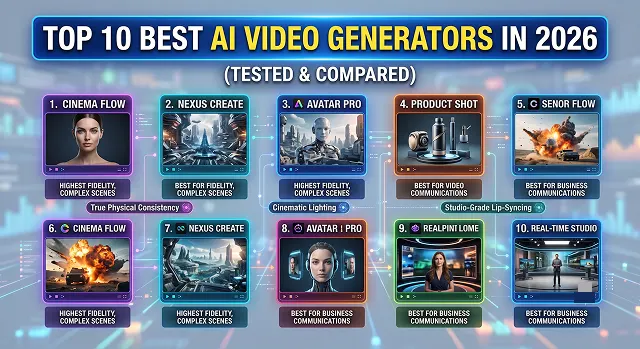
The world of AI video generation moves incredibly fast. What looked like groundbreaking technology a couple of years ago now looks like a blurry, glitched-out relic. In 2026, we have officially moved past the era of melting backgrounds and six-fingered characters. Today’s AI video tools feature true physical consistency, incredible cinematic lighting, and studio-grade lip-syncing.
But with dozens of new tools popping up every month, which ones are actually worth your hard-earned money and time?
To save you hours of trial and error, we have hands-on tested the biggest platforms on the market. Here is our definitive, honest review of the top 10 best AI video generators in 2026, ranked by performance, use case, and value.
1. OpenAI Sora – The Cinematic Heavyweight
Sora remains the gold standard for long-form, hyper-realistic cinematic video. It understands complex real-world physics better than almost any other engine. If you prompt a glass to shatter or liquid to pour, Sora simulates the scene with stunning accuracy.
- Pros: Generates continuous, stable clips up to a minute long; incredible spatial awareness; handles complex camera tracking smoothly.
- Cons: Extremely limited accessibility for everyday users; high cost; slow rendering.
- Best Suited For: Independent filmmakers, high-budget advertising agencies, and conceptual artists.
2. Kling AI – The Photorealistic All-Rounder
Kling AI has revolutionized the creative space due to its brilliant combination of hyper-realistic textures and extremely affordable prices. The image-to-video engine of Kling AI excels in giving life-like movements to static images and landscapes in such a way that doesn't distort the picture.
- Pros: It is great at generating realistic textures of human skin; performs actions like eating, cooking, and water physics quite effortlessly.
- Cons: At times text-to-video prompts can be dependent on being used with an anchor image.
- Best Suited For: Best suited for Content creators, social media manager,youtube automation channel.
3. Runway Gen-3 Alpha – The Director’s Choice
Runway remains head of the pack in the pro-creator sphere due to the control that the tools give you: the Camera Control enables you to define exactly the number of degrees you wish topan, tile, zoom and also to roll. Furthermore, the Motion Brush allows you topaint a section in the image that you wish to animate: say a waving river or flowing hair, and only animate that specific portion.
- Pros: First in class controls; text-to-video coherence is amazingly on the money.
- Cons: Can feel like a jump if your a starting and its getting into costly usage if you making that much content.
- Best Suited For: For commercial Video Editors; & intermediates prompt crafters.
4. Luma Dream Machine – The Speed Demon
Luma’s Dream Machine is built for action. While some models struggle with fast-moving subjects, Luma excels at generating intense car chases, camera zooms, and fast kinetic energy without turning the video into a muddy mess.
- Pros: Incredibly fast rendering speeds; maintains structural perspective during rapid camera movements.
- Cons: May have issues recognizing subtleties in slow facial movements.
- Best Suited For: Fast-moving advertisements, TikTok personalities, and conceptual videos.
5. Wan 2.2 – The Open-Source Revolution
Wan 2.2 is the champion of the open-source community. If you have a powerful local computer setup or use cloud platforms like Google Colab, Wan 2.2 allows you to generate top-tier AI video without monthly subscription limits. Highly regarded for its special treatment of anime, stylized computer art, and abstract images.
- Pros: Fully free, provided that it is installed and used on your own computer; excellent treatment of stylized and non-realistic art.
- Cons: Installation requires technical skills; heavy system demands.
- Best Suited For: Web developers, technical creators, and anime/comic artists.
The 2026 AI Video Leaderboard: At a Glance
Platform Evaluation Matrix · Benchmark Summaries
| Platform | Best For | Standout Feature | Price Range |
|---|---|---|---|
| Sora (OpenAI) | Hollywood-Grade Cinema | Unmatched 3D spatial physics | Premium / Corporate tiers |
| Kling AI | Photorealism & Physics | Incredible fluid motion (water, cooking) | Free tier / Paid subscriptions |
| Runway Gen-3 | Creative Directorial Control | Precision advanced camera steering | Free credits / Tiered plans |
| Luma Dream Machine | Rapid Ideation & Action | Ultra-fast rendering of high-action shots | Free tier / Paid subscriptions |
| Wan 2.2 | Open-Source & Stylization | Superior anime and digital art styles | Free (Self-hosted) / Cloud-based APIs |
| Hedra | Character Voice & Lip-Sync | Instant, expressive 3D character generation | Free tier / Pro subscriptions |
| HeyGen | Business & AI Avatars | Flawless corporate talking heads | Tiered subscription plans |
| Pika 2.0 | Special Effects & Fun Editing | Real-time object editing and crushing physics | Free tier / Paid plans |
| Synthesia | Scaleable Workplace Training | Multi-language enterprise video creation | Corporate / Custom plans |
| Midjourney-to-Video | Fine Art & Aesthetic Continuity | Perfect style matching from raw text/images | Included with core tiers |
Request A Custom AI Video
Tell us what you're trying to create and we'll point you to the right tool — or help you set it up.
6. Hedra – The 3D Character Master
If your project requires an actor, talking host, or animated character to speak directly to the audience, Hedra is a standout choice. You provide an image and an audio track, and Hedra instantly creates an expressive, singing, or talking character with flawless jaw movement and natural blinking rhythms.
- Pros: Generates expressive, highly emotional facial animations; lightning-fast processing; zero jaw-warping or face-melting.
- Cons: Focused strictly on character heads and upper torsos rather than full-body action.
- Best Suited For: Digital storytellers, virtual influencers, and narrated documentary channels.
7. HeyGen – The Ultimate Business Avatar Tool
HeyGen is built from the ground up for commercial businesses, marketers, and sales teams. It creates photorealistic human twins (avatars) that read scripts in hundreds of different languages with perfectly natural voice cloning.
- Pros: Unbelievably clean, crisp corporate presentation style; seamless voice cloning integration.
- Cons: Limited creative and cinematic flexibility; purely corporate/educational.
- Best Suited For: Corporate training, explainers, multinational marketing and more.
8. Pika 2.0 – The Special Effects Studio
Pika 2.0 is an absolute blast to use because of its unique "Pika Effects" feature. You can select an object inside a video clip and prompt it to deflate, explode, melt, or squash. It adds a tactile experience to video editing which cannot be matched by traditional key framing that takes hours to do.
- Pros: It is great for surreal, creative, or funny social videos; incredibly intuitive user interface.
- Cons: Not made for story-telling in longer form content.
- Best Suited For: Social media meme-makers, hobbyists, etc.
9. Synthesia – The Enterprise Scale King
Synthesia is a powerhouse platform designed for massive companies needing to scale out video training production. If you need to turn 500 dry text documents into 500 distinct video training modules across 40 languages, Synthesia handles the job automatically.
- Pros: Enterprise-grade security; massive selection of diverse, clean avatars; great automated screen-recording features.
- Cons: Pricing plan heavily weighted towards businesses as opposed to individual creators.
- Best Suited For: HR departments , big software business enterprises and educational institutions
10. Midjourney-to-Video – The Aesthetic Masterpiece
For designers that are building off of their work using Midjourney as their starting point, the video tools within Midjourney allow for perfect visual consistency. There’s no need to export your artwork onto an external service where you can lose the original feel of your piece; Midjourney creates its own animations from the original image without any loss of detail.
- Pros: Ensures that all of the original composition, color grading, and brush strokes from the original image remain perfectly preserved.
- Cons: Animation will be more atmospheric than action-packed.
- Best Suited For: Concept artists and mood-based storytellers.
Top 10 AI Video Generators Compared
The ultimate 2026 performance breakdown of the world's leading generative video models.
The verified top 10 list is divided by production use-case: For cinema-grade physics, the leaders are Runway Gen-3 Alpha, OpenAI Sora, Google Veo 2, and Luma Dream Machine 2.0. For rapid text-to-motion and raw realism, Kling AI 3.0 and Hailuo AI (MiniMax) dominate. For talking avatars, it’s HeyGen and Synthesia, while InVideo AI and CapCut AI lead for automated social media workflow automation.
In 2026, baseline generation lengths have scaled up safely. Most cinematic engines like Runway or Luma generate clean 5 to 10-second clips natively to prevent physical morphing. However, advanced systems like OpenAI Sora can render up to 60 seconds of continuous motion in a single prompt block, managing tracking perspective shifts without breaking structural continuity.
Google Veo 2 and OpenAI Sora are the clear winners here. Because they are built using advanced Diffusion Transformer (DiT) architectures, they treat video scenes like a real 3D environment. They understand complex interactions perfectly—like gravity, glass reflections, structural mass collision, and how liquid splashes—preventing objects from randomly dissolving or clipping through walls.
Yes, several offer highly functional entry-level paths. Kling AI provides 66 free tokens daily, allowing you to experiment with high-fidelity clips every 24 hours. Hailuo AI (MiniMax) is heavily favored by beginners because it allows high-speed text-to-video tests with no watermarks on their core trial tiers.
Camera Director Control replaces blind text guessing with a precise directional interface. Instead of just hoping the AI moves the camera right, tools like Runway Gen-3 and Luma Dream Machine 2.0 provide advanced interface dials. You can specify exact tracking movements—like camera pan degrees, tilt speeds, or a continuous dolly zoom—to lock down professional movie framing.
If you run a daily faceless marketing or educational channel, engines like InVideo AI skip manual clip stitching entirely. You give it a basic topic string, and the AI writes the script, overlays voiceover tracks, auto-generates matching asset subtitles, and drops matching B-roll media on a scannable timeline, assembling a ready-to-post short form clip in 3 minutes flat.
Choose based on your deliverable requirements. If your project relies on absolute cinematic control, spatial accuracy, and complex camera blocking, Runway Gen-3 or Google Veo 2 are your heavy lifters. If your goal is automated speed, publishing daily social content, or repurposing text blocks at scale without high budgets, run an InVideo AI or Kling AI production layout.
Ready to try AI Videos?
Transform your ideas into cinematic video in seconds.