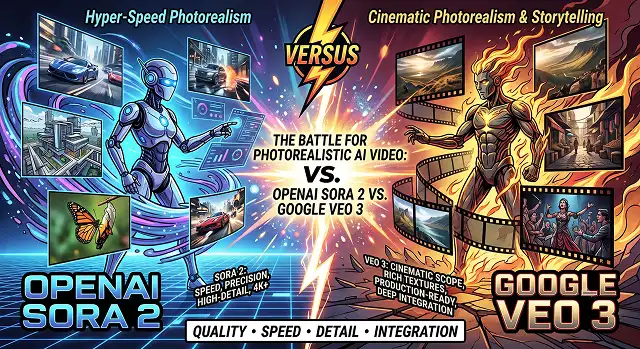
The realm of generative AI has reached a never-seen-before level of development. Creating high-quality videos that earlier needed the use of a green screen and camera studios and would take weeks and even months to finalize has become possible with just a few clicks of a mouse. The most-called upon systems when it comes to high-end AI video making are OpenAI Sora 2 and Google Veo 3.
Nevertheless, there are key differences in their approaches. OpenAI emphasizes the need for having multiple shots in a single scene and creating a realistic video with the help of good physics of the environment. Google, on the other hand, puts greater emphasis on providing impeccable color grading and working with camera functions.
For the solo content creators, film and media independents, and directors at an agency, here is the side by side comparison to help decide which engine to integrate into your workflow.
Above-the-Fold Feature Matrix
AI Video Generation Benchmarks · OpenAI Sora 2 vs. Google Veo 3 / 3.1
| Feature / Metric | OpenAI Sora 2 | Google Veo 3 / 3.1 |
|---|---|---|
| Max Resolution Output | 1080p HD (Up to 4K via post-upscaling) | Native 1080p HD & 4K Master Exports |
| Max Single-Pass Length | Up to 20 Seconds | 8 Seconds (Extendable via scene chaining) |
| Native Audio Generation | Experimental / Secondary Pass | Native Baked-In Sync (Dialogue, SFX, Foley) |
| Physics & Fluid Simulation | Superior handling of complex structural scale | Exceptional micro-physics (hair, cloth, water) |
| Editing & Iteration Suite | Built-in Storyboard, Remix, & Recut tools | Multi-shot chaining via Google Flow & Vertex AI |
| Aspect Ratios Supported | 16:9, 9:16 Vertical, 1:1 Square | 16:9 Widescreen, 9:16 Vertical, 4:3 Vintage |
| Access Model / Cost | ChatGPT Plus ($20/mo) / Pro ($200/mo) | Google Vertex AI / Gemini API (~$0.15–$0.40/sec) |
1. Quality of Visuals and Photorealism: Cinematic and True Realism
Both systems generate amazing imagery; however, their underlying color design and rendering techniques diverge.
- Google Veo 3 : Engineered to emulate professional film cameras (like the ARRI Alexa) and showcases true-to-life color treatment, realistic skin textures, volumetric illumination, and true depth of field. Close-up images capture minute details such as reflections in the eyes and strands of hair flying in the air without creating the waxy "AI plastic" appearance.
- OpenAI Sora 2 : The tool also produces colorful graphics that appear pristine. Sora 2 can create pictures showing grand-scale scenery and, thus, it can deal with scenes with wide panoramic views (like drone flying over a town in a fantasy movie) or images of chaotic battle scenes, including science fiction ones. However, the graphics of this tool look rather idealized, with limited naturalism.
Winner: Google Veo 3 for its grounded, realistic looks that can be used for broadcasting. OpenAI Sora 2 for sweeping scale and imaginative conceptual depth.
2. Audio Integration: The Game-Changing Factor
Adding audio to AI video historically meant exporting mute MP3s and spending hours hunting for stock sound effects or generating separate AI voiceovers.
- Google Veo 3 Native Sound : Google integrated native multi-modal audio directly into Veo 3's core rendering engine. When you prompt a rainy street scene, Veo 3 renders the visual alongside the matching pitter-patter of raindrops hitting glass, distant thunder, and tires splashing through puddles. It even generates synchronized lip movements for speaking characters.
- OpenAI Sora 2 Audio : In Sora 2, the emphasis is placed on visual continuity. Most video editors avoid Sora 2 sound, and they usually prefer to work with silent footage and edit the audio in post-production.
- 1. Prompt Text Input: “An extreme close-up shot of a blacksmith working with glowing iron in a dark smithy, sparks flying all around.”
- 2. Output from Google Veo 3: A 1080p video with sound of metal hitting metal and crackling fire.
- 3. Production Benefit: Eliminates sound design steps for rapid social media and commercial ad turnaround.
Winner: Wan 2.2. Its Mixture-of-Experts (MoE) design processes structural motion and fine detail pass-by-pass, reducing AI morphing errors.
3. Multi-Shot Workflow & Production Pipelines
For commercial video generation, a single isolated 5-second clip is rarely enough. You need consistent character features and seamless shot transitions.
1. Setup Character & Style Anchors
- Upload reference images or text blueprints into your chosen workspace. Sora 2 uses its "Cameo" and Remix features to maintain character faces across different scenes. Veo 3 uses "Ingredient-to-Video" mode to lock in prop and actor geometry.
2. Chain Prompts with Motion Vectors
- Sora 2 allows continuous single-pass generations up to 20 seconds, allowing a single camera shot to perform complex multi-action sequences. Veo 3 relies on Google Flow multi-shot chaining to connect shorter 8-second scenes together seamlessly.
3. Execute Style Transfer & Editing Passes
- Utilize built-in Storyboard features from Sora 2 to create a new cut or style of various scenes. If you have Veo 3, you can send the high-quality video files to a separate software program for color correction, such as DaVinci Resolve or Premiere Pro.
Comprehensive Production & Workflow Benchmarking
Real-World Rendering Parameters · OpenAI Sora 2 vs. Google Veo 3 / 3.1
| Production Parameter | OpenAI Sora 2 | Google Veo 3 / 3.1 |
|---|---|---|
| Core Model Architecture | Spatio-Temporal Diffusion Transformer (DiT) | Joint Multi-Modal Audio-Visual Latent DiT |
| Native Frame Rates | 24fps, 30fps, 60fps | 24fps, 30fps (Fluid 60fps via post-pass) |
| Input Modalities | Text-to-Video, Image-to-Video, Video Remix | Text-to-Video, Image-to-Video, Audio-to-Video |
| Lip-Sync Accuracy | Requires secondary audio-alignment pass | Native Real-Time Viseme-Matched Sync |
| Camera Movement Precision | Advanced (Dolly, Pan, Orbit, Tracking, Crane) | Precise (Cinematic Presets + Motion Vector Brush) |
| Prompt Adherence Index | Superior: Complex multi-character action | High: Photorealistic environmental lighting |
| API & Enterprise Availability | OpenAI API / ChatGPT Enterprise | Google Cloud Vertex AI / Gemini API Suite |
| Ideal Production Use Case | Conceptual Pre-Viz, Sci-Fi/Fantasy, Storyboarding | Commercial Ads, E-Commerce, Broadcast Film |
Request A Custom AI Video
Tell us what you're trying to create and we'll point you to the right tool — or help you set it up.
Technical Deep-Dive: Latent Space Architecture & Physics Engine Mechanics
To understand why OpenAI Sora 2 and Google Veo 3 produce distinct visual outputs, we must examine their underlying neural architectures.
Both models move past early 2D pixel-grid diffusion, operating instead within 3D Latent Space Transformers. They compress visual data into space-time patch tokens, treating video generation as a sequence-prediction task similar to how Large Language Models process text tokens.
1. OpenAI Sora 2: Spatio-Temporal World Modeling
Sora 2 functions as a world simulator. Instead of evaluating frames in isolation, its Transformer architecture maintains a persistent 3D spatial map of the environment across time:
- Occlusion and Object Permanence: The physical form of a character and wall is kept intact. When the character comes out from behind the wall, there is no change in the features, folds of their dress, or in any other accessory they might have had on them.
- 3D Camera Matrix Awareness: Sora 2 models realworld camera shape and settings. Providing prompts with (35mm to 85mm focal length changes) causes the engine to reestablish the correct background parallax, lens compression.
2. Google Veo 3: Multi-Modal Audio-Visual Fusion
Veo 3 uses a joint audio-visual latent space. Rather than generating frames first and running audio through a secondary post-processing pass, Veo 3 processes visual tokens and acoustic waveforms simultaneously during the denoising steps:
- Coherence of Acoustic Waveforms: The moment when the glass cup comes into contact with the tile adds a transient spike to the audio.
- Physics of Lip-Sync: The movements of the mouth are dictated by viseme mapping from an acoustic standpoint, which eliminates the "floating lip" that can occur when audio tracks are added to videos.
Resolving Common Rendering Glitches in Next-Gen Video
Even advanced generative engines encounter edge-case rendering errors when handling complex scenes. Here is how to diagnose and resolve common issues:
1. Fixing "Temporal Drift" (Character Features Morphing)
- The Cause: Occurs when a prompt contains too many competing action verbs without explicit visual anchors, causing the model to lose track of facial proportions across scenes.
- The Solution: Use Character Anchor Framing. Start your prompt by defining static visual attributes before describing the action: "A 30-year-old male with sharp jawline, short dark hair, wearing a brown leather jacket [Anchor], running through a crowded street [Action]."
2. Removing Edge Glow & Motion Blur Imperfections
- The Cause: Fast camera movements along with huge amounts of light and dark contrast can produce tear of pixels at the edges of the objects in the image.
- The Solution: Mention both camera motion speed and lens characteristics in the prompt (e.g., "slow moving camera, shutter speed of 1/50, clear and smooth anamorphic depth of field"). Thus, the physics engine can properly compute the motion blur and will not have to make assumptions.
Sora 2 vs Google Veo 3 Battle
Compare transformer video physics, native audio integration, camera controls, and enterprise scalability.
Both platforms use advanced diffusion transformer (DiT) architectures, but their ecosystem integrations differ. OpenAI Sora 2 focuses heavily on extended spatiotemporal patch understanding, enabling sustained physics simulations over long clip durations. Google Veo 3 leverages Gemini's multimodal foundation, allowing it to interpret deep semantic prompt nuances, complex camera directives, and visual context across interconnected Google ecosystem tools.
Sora 2 sets a high bar for physical spatial permanence, accurately preserving hidden objects when the camera pans away and returns. However, Google Veo 3 excels at fluid dynamic simulations—such as water splashes, smoke dispersion, and complex lighting interactions—with minimal edge-tearing or structural warping during rapid motion sequences.
Google Veo 3 features native audio-visual generation, producing synchronized sound effects, ambient environmental audio, and contextual dialogue tracks directly alongside the video render. Sora 2 focuses primarily on high-definition visual generation, relying on external pipelines or integrated API partners for audio generation and post-render lip-sync alignment.
Both models support native 1080p outputs scalable to 4K resolution across flexible aspect ratios (16:9 widescreen, 9:16 vertical, and 1:1 square formats). Google Veo 3 explicitly supports high frame-rate rendering up to 60fps for ultra-smooth motion playback, while Sora 2 delivers cinematic 24fps and 30fps masters optimized for film and broadcast standards.
Google Veo 3 natively interprets director-level terminology like "timelapse," "slow-motion," "tracking shot," or "aerial crane shot" with high precision thanks to its Gemini LLM backend. Sora 2 excels at complex camera paths and multi-shot transitions within a single generation, smoothly tracking moving subjects through evolving environments without losing framing.
Google Veo 3 is deeply integrated into Google Cloud Vertex AI and YouTube Create, offering enterprise-grade SLA agreements, C2PA digital provenance watermarking, and usage-based API pricing. OpenAI Sora 2 operates through ChatGPT Pro tiers and developer APIs, enforcing strict C2PA provenance tracking and automated content moderation filters to prevent deepfake misuse.
Choose OpenAI Sora 2 if your priority is long-scene spatial continuity, intricate character movements, and complex narrative storytelling. Choose Google Veo 3 if you need an all-in-one commercial engine with native audio generation, precise camera director controls, and seamless cloud integration within the Google ecosystem.
Ready to try AI Videos?
Transform your ideas into cinematic video in seconds.