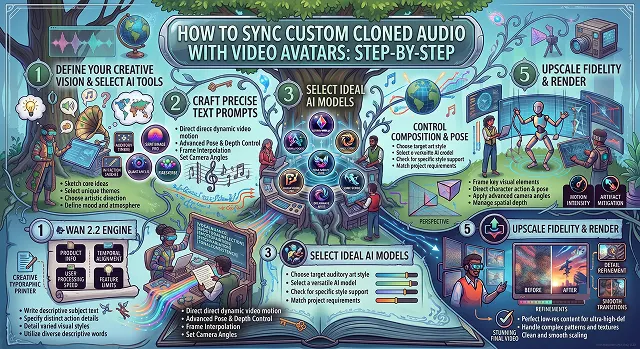
Synchronizing custom cloned audio with synthetic video avatars eliminates the robotic, uncanny-valley effect that plagues automated video pipelines. While default text-to-speech tools often sound detached from visual articulation, neural speech alignment maps spoken audio frequencies directly to 3D facial geometry, mouth shapes, and micro-expressions.
Whether you are scaling corporate training, building personalized sales outreach, or running automated YouTube and social content, matching high-fidelity cloned audio to video avatars requires a structured, multi-stage engineering approach.
Above-the-Fold Breakdown: Speech-to-Avatar Synchronization Methods
Speech-to-Avatar Synchronization Methods · Architecture, Realism & Pipeline Efficiency
| Technical Parameter | Built-In Generic Text-to-Speech (TTS) | Manual Audio NLE Alignment (Premiere/DaVinci) | Custom Cloned Audio + Neural Avatar Engine |
|---|---|---|---|
| Vocal Realism & Nuance | Low (Robotic inflection, flat pitch, generic timbre) | High (Real voice, but manual edits take hours) | High (Clones natural inflection, breathing, and pacing) |
| Phoneme-to-Viseme Matching | Automated, but often misses subtle plosive closures | Manual keyframe warping required | Automated neural viseme mapping (Matches /p/, /b/, /m/ closures) |
| Turnaround Time | Fast (Direct web render) | Slow (1 to 3 hours per finished minute of sync) | 5 to 10 minutes per scene |
| Micro-Expressions & Head Movement | Minimal or rigid static neck position | Dependent on original captured video footage | Audio-reactive blinks, eyebrow lifts, and natural head tilts |
| Multilingual Retargeting | Limited to platform-native default voices | Complex manual audio re-cutting per language | One-click cloned dubbing with viseme re-generation |
1. Major Mechanisms of Neural Synchronization of Sound and Video
Neural avatars do not merely modularize speech as auditory stimulation arises. They convert complex acoustic signals into physical muscular contractions:
[Cloned Audio Track (.wav)]
              │
              ▼
[1. Acoustic Feature Extraction] ➔ Extracts Mel-Spectrograms & Phonemes (/p/, /b/, /m/, /o/)
              │
              ▼
[2. Phoneme-to-Viseme Mapping] ➔ Converts audio tokens into visual mouth positions (Visemes)
              │
              ▼
[3. Latent Face Deformation (U-Net / Cross-Attention)] ➔ Aligns jaw, teeth, and tongue coordinates
              │
              ▼
[4. Boundary Blending & Post-Filter] ➔ Eliminates seams around the chin and re-injects camera grain
1. Phonemes vs. Visemes
- A phoneme can be defined as an audio unit, like the sound generated by the bilabial sound /p/, while a viseme represents a different aspect of spoken language, including the position of lips, tongue, and jaw when such sound is spoken. Thus, the phoneme-to-viseme conversion system must be precise enough to convert phonemes into visemes in real-time, making sure that the lips are completely closed while pronouncing bilabial sounds (/m/, /b/, /p/) before the actual vocalization takes place.
2. Audio Pre-processing Specifications
Feeding compressed or reverberant audio into a neural lip-sync model causes erratic mouth jitter. Input audio stems must meet broadcast audio parameters:
- Format: Uncompressed 24-bit, 44.1kHz or 48kHz PCM WAV.
- Integrated Loudness: Normalized strictly to -14 LUFS (or -16 LUFS for mobile delivery) with a true peak ceiling of -1.0 dBTP.
- Noise Floor: Vocal isolation without any noise from other sources in the studio and no background noise, be it from air conditioners or other sound reflections.
2. Step-by-Step Production Sequence
1. Record Calibration Audio for Neural Voice Cloning
- Configure your persona's knowledge base and boundaries. Connect an ultra-low-latency voice model (e.g., ElevenLabs Flash or Cartesia) to establish the character's vocal timbre and speaking cadence.
2. Capture the Base Avatar Video Footage
- Make a two-minute-long 4K establishing video of the speaker looking right into the camera. Stay consistent in the upper body movement and do not wave hands around. Make sure that you blink naturally and pause for three seconds before and at the end of the shot.
3. Synthesize Speech with SSML Timing Tags
- Generate your narrative audio using your custom cloned voice model. Insert deliberate SSML pause tags (break time="400ms"/) at commas and periods to give the avatar natural pauses for blinking, swallowing, and breathing.
4. Execute Neural Lip-Sync Alignment
- Feed the synchronized audio stem and video master into your lip-sync framework (via HeyGen's API, LivePortrait, or MuseTalk). Ensure the bounding-box margin covers the chin and cheek contours to allow natural jaw expansion during speech.
5. Timeline Compositing & Micro-Texture Blending
- Import the rendered avatar into DaVinci Resolve or Premiere. Add a subtle, uniform 35mm film grain or high-ISO camera sensor noise layer across the video. This unifies the generated mouth region with the rest of the head, hiding any subtle diffusion smoothing artifacts.
Avatar Lip-Sync Architectural Comparison
Different production tiers use distinct AI architectures to map voice recordings to visual avatars:
| Technology Stack | Core Model Pipeline | Lip-Sync Latency / Speed | Visual Rigidity & Quality | Ideal Production Use Case |
|---|---|---|---|---|
| Enterprise Cloud (HeyGen / Synthesia) |
Proprietary NeRF/Gaussian avatars + integrated neural speech. | Cloud queue (1.0 × – 2.5× render time). | Photorealistic studio appearance with natural head sways and blinks. | Executive keynotes, corporate training, high-converting VSLs. |
| Real-Time Latent Inpainting (MuseTalk) |
VAE latent masking + cross-attention U-Net (256 × 256 mouth crop). | Real-Time (30+ FPS on Tesla V100). | Preserves the original video completely outside the mouth area. | Interactive AI agents, live customer service streams, virtual avatars. |
| Flow-Driven Expression (LivePortrait) |
Implicit keypoint displacement + landmark deformation. | Fast (15 — 25 FPS). | Fluid eye contact, eyebrow raises, and natural head nods. | Character re-targeting, expressive podcasts, animated portraits. |
| Legacy Pixel-Based (Wav2Lip) |
GAN discriminators on lower-face bounding boxes. | Fast offline batching (35+ FPS). | Can suffer from lower mouth blurriness and rigid jaw lines. | High-volume batch dubbing and low-resource testing pipelines. |
Request A Custom AI Video
Tell us what you're trying to create and we'll point you to the right tool — or help you set it up.
3. How Audio Propels Avatar Geometry
One needs to be familiar with the relevant computational pipeline involved so that syncing problems can successfully be diagnosed and corrected. The avatar generator does not simply detect "volume." It executes a multi-stage translation from sound waves to facial geometry:
[ Custom Cloned Audio (.WAV) ]
              │
              ▼
┌───────────────────────────────┐
│  1. Acoustic Waveform Split   │ ───► Analyzes frequency, amplitude, and timing
└───────────────┬───────────────┘
                │
                ▼
┌───────────────────────────────┐
│     2. Phoneme Extraction     │ ───► Isolates individual phonetic sound units (/k/, /t/, /s/)
└───────────────┬───────────────┘
                │
                ▼
┌───────────────────────────────┐
│  3. Viseme Geometry Mapping   │ ───► Converts sounds into 15–20 visual mouth shapes (visemes)
└───────────────┬───────────────┘
                │
                ▼
┌───────────────────────────────┐
│ 4. Neural Diffusion Blending  │ ───► Deforms lips, jaw, teeth, tongue, & blinks frame-by-frame
└───────────────┬───────────────┘
                │
                ▼
[ Photorealistic Synced Video Output ]
- Phoneme (Acoustic): Units of sound in languages (the English language has about 44 different phonetics).
- Visemes (Visual): Refer to the distinct mouth and jaw shape during speech. Some phonemes have the same viseme, which is the reason why you can pronounce some phonemes, for example, /b/, /p/, /m/, while keeping your lips completely closed.
- Co-Articulation: Co-Articulation is the fact that real human mouths start forming a shape for the next phoneme even when pronouncing the previous one. The use of advanced neural networks allows for accurate prediction of co-articulation process so that previous mechanical lip-sync algorithms, which had choppy features, can be replaced.
4. The 5-Step Pipeline to Sync Cloned Audio With Video Avatars
Follow this end-to-end workflow to eliminate audio drift and produce lifelike talking avatars:
1. Capture and Clone Your Master Voice Sample
- Create a 20-to-30-second audio sample in a soundproof room where there is no noise coming into the audio. Upload the audio sample to the Instant Voice Cloning software so that it can determine the characteristics of voice. Ensure your cloned model captures your authentic pitch variability, tone, and pacing.
2. Synthesize and Master Your Scene Audio
- Generate your dialogue lines using your custom cloned voice. Follow the golden rules of speech synthesis:
3. Prepare Your Character Portrait Anchor
- For the avatar engine to map mouth shapes accurately, your source image must follow strict composition standards:
4. Animate the Avatar via Neural Diffusion
- Upload your prepared portrait and custom audio track directly into hedra.me. The engine will parse your audio waveform, extract phoneme timings, map the corresponding visemes, and animate the facial geometry, head tilts, and blinks in a single pass.
5. Upscale, Composite B-Roll, and Add Subtitles
- Import your rendered avatar into your video editor:
5. 4 Pro Rules to Fix Lip-Sync Glitches & Drift
- Never Mix Music Tracks Into the Audio Input: Do not upload a voice track that already has background music or ambient noise mixed in. Heavy bass or percussive beats confuse the phoneme extraction model, causing the mouth to spasm on snare hits. Always feed clean, isolated dialogue to the avatar engine first, and add background music later during timeline assembly.
- Limit Continuous Takes to 30–60 Seconds: While long audio files can technically be uploaded, generating 3-minute continuous avatar passes increases the risk of subtle temporal drift. Divide the scripts into short segments of 15 to 30 seconds each and use a combination of various camera angles (close-up as well as medium shot) for filming.
- Maintain Speech Speed between 120-135 WPM: Speaking faster than 160 WPM results in phoneme overlap occurring too quickly for standard video frame speeds 24–30 fps. Speak in a normal, easy manner.
- Make Sure Audio Sample Rates Are Consistent: Confirm the audio sample rate of your audio file corresponds with your video sequence settings (standard 48.0 kHz). A discrepancy between 44.1 kHz audio and 48 kHz video files is one of the leading causes of slow audio sync loss over time.
Cloned Audio to Avatar Sync
Master viseme mapping, audio sample rate matching, latency offsets, and artifact-free facial animation.
Avatar engines use Phoneme-to-Viseme Neural Mapping. The system analyzes your cloned audio file, breaks spoken speech into discrete acoustic units (phonemes), and predicts the exact physical mouth, lip, and tongue shapes (visemes) required for each syllable. A generative inpainting layer then re-renders the lower third of the avatar’s face across every video frame to match those target mouth configurations.
Always export your custom voice clone as an uncompressed 24-bit or 16-bit WAV file at a 44.1 kHz or 48 kHz sample rate (constant bitrate, mono or stereo). Avoid variable-bitrate (VBR) MP3s. Variable compression introduces micro-time discrepancies during neural audio decoding, which leads to audio-video phase drift after 10 to 15 seconds of speaking.
For studio-grade vocal nuance and emotional inflection, ElevenLabs Professional Voice Cloning is the leading choice. For open-source, locally hosted voice cloning pipelines, XTTS-v2 and F5-TTS provide zero-cost synthesis with zero data transmission outside your secure environment.
Mouth warping during pauses usually stems from low-frequency background noise or breathing artifacts in your custom cloned audio file. The avatar engine mistake ambient hiss or room reverb for whispered phonemes, causing subtle, unnatural jaw twitching. Clean your audio with a subtle noise gate or run it through Adobe Podcast Enhance before feeding it into the avatar platform.
Record a 2-minute baseline video with stable front-facing three-point lighting, a clean neutral background, and minimal head roll. Keep your hands below shoulder level to ensure they never cross the lower jaw, which causes visual tearing. Leave 2 seconds of silent, closed-mouth neutral framing at the beginning and end of the clip to give the alignment algorithm a clean reference baseline.
In actual speech mechanics, human lips naturally begin shaping a fraction of a second before vocal cord sound emerges. If an avatar appears robotic or delayed, import the rendered video into your editor (e.g., Premiere or CapCut), unlink the audio track, and shift the visual video track 1 to 2 frames (approx. 33ms to 66ms) earlier relative to the audio.
Yes, but the technical mechanism is different. Photorealistic models use 2D neural pixel inpainting (like HeyGen, SadTalker, or LivePortrait). 3D and stylized characters rely on Audio-Driven Blendshape Rigging (such as Apple ARKit Blendshapes or Omniverse Audio2Face), where acoustic frequencies directly modulate mathematical 3D mesh vertices for stylized characters.
Enable Generative Gesture Synthesis and Head Pose Dynamics. Advanced avatar systems analyze audio pitch and emphasis to trigger natural head tilts, shoulder adjustments, and eye blinking. If your avatar platform lacks motion dynamics, apply subtle 2% digital zoom-ins and slow camera pans in post-production to keep the frame feeling active.
Major platforms enforce Biometric Liveness Verification and Verbal Consent Passphrases. The individual must read a time-stamped authorization script on camera consenting to voice cloning and likeness synthesis. Commercial enterprise deployments also require signed likeness release contracts, and public social posts should include synthetic media metadata disclosures.
Follow this proven 4-Step Sync Blueprint:
1. Voice Synthesis: Generate your speech file using ElevenLabs, export as 48kHz WAV, and remove background noise.
2. Avatar Pairing: Upload the WAV directly into your avatar engine (HeyGen, Synthesia, or SadTalker) paired with your calibrated reference video.
3. Alignment Render: Run the neural viseme render pass with motion dynamics set to natural.
4. Polish & Master: Inspect the lip contact on hard consonants ("P", "B", "M"), offset audio by 1–2 frames if necessary, add background room ambience, and export your master video.
Ready to try AI Videos?
Transform your ideas into cinematic video in seconds.