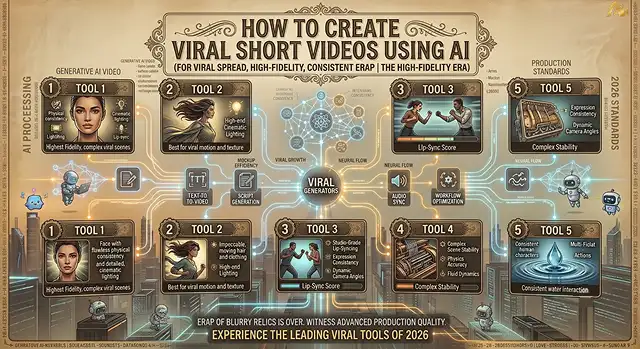
Creating viral short videos (YouTube Shorts, Instagram Reels, TikTok) with the help of artificial intelligence no longer means spending long hours editing manually or relying on sheer luck. Possessing some knowledge about short-form algorithms allows you to achieve high Hook Rate (number of viewers who don’t swipe away in 3 seconds) and Average View Duration / Completion Rate.
Creating hundreds of top-quality, high-retention short videos can take less than 15 minutes if you follow the precise blueprint of your AI Assembly Pipeline.
1. The Tech Stack: The Best AI Tools for Shorts
- Scripting & Hooks: ChatGPT-4o or Claude 3.5 Sonnet.
- Voiceover: ElevenLabs (for hyper-realistic tone) or Google Veo 3.1 (audio-native generation).
- Visual B-Roll: Sora 2, Kling AI, Luma AI, or Pollo AI (for multi-shot character/visual consistency).
- Repurposing Existing Footage: Vizard.ai or OpusClip (automatically crops long YouTube videos into viral short clips with virality scores).
- Editing & Auto-Captions: CapCut Desktop (100% free).
2. Step-by-Step Production Pipeline (From Concept to Upload)
Follow this precise 4-step sequence to construct a viral short:
Hook Scripting & Emotional Triggers
- Authorize your AI screenplay writer with the unique task "Create a short YouTube video of 30 seconds that revolves around [TOPIC]." Open with a 3-second hook that generates curiosity in the audience. Use sly, short sentences. Include a twist in the story in the middle. The last line must be engaging so that the viewers want to watch it again.
Audio Generation & Speed Tuning:
- Paste the script into ElevenLabs or your chosen voice model. Select a dynamic, conversational voice profile. Speed up the master audio export to 1.05x - 1.1x. Eliminating dead air keeps the pacing tight.
Generative B-Roll & Visual Cut Drops:
- Generate 5 to 8 short visual clips using Kling, Sora 2, or Pollo AI. Match visual scenes directly to your spoken words. Use different visuals every 1.5 to 2.5 seconds so that they enjoy watching it.
Kinetic subtitles, SFX, and export:
- Get your audio and video particulars on CapCut. Adjust captions to an animated version in high contrast (Yellow/Green against black background) and position them at the middle third. Incorporate SFX in every visual change. Export in 1080x1920 at 30 frames per second.
3. The "Retention-First" Editing Rules
To force the social media algorithms to push your short to millions of feeds:
- The 3-Second Rule: Never use title screens, logo intros, or say "Hey guys!" Start mid-action or mid-sentence.
- Text On Screen: More than seventy percent of audiences view audio in silence or low volume. Dynamic text effect is necessarily used to engage audience.
- Seamless Looping: Your final sentence of dialogue should connect seamlessly back into the very beginning sentence of your video (i. E., Ending: “And so, never…” ➔ Beginning: “…trust a VPN for free”).
The 5 Proven Viral Short Formats for AI
Short-Form Content Strategy · Virality & Engagement Matrix
| Format Structure | Why It Goes Viral | Target Audience Action |
|---|---|---|
| "3 Things You Didn't Know" | Rapid-fire information density prevents scrolling. | Saves & shares for later reference. |
| The "You're Doing It Wrong" Audit | Triggers a curiosity gap and defensive attention. | High comment section debates. |
| Micro-Doc Stories / Mysteries | Storytelling tension holds watch-time to the end. | Full completion rates (> 85%). |
| Before / After Transformations | Visual payoff forces viewers to re-watch the loop. | Rewatches (pushes retention over 100%). |
| "What If" Simulations | Bizarre or beautiful AI visuals captivate the eye. | High share rates on social DMs. |
Request A Custom AI Video
Tell us what you're trying to create and we'll point you to the right tool — or help you set it up.
Algorithmic Retention Math: The First 3 Seconds
Short-form recommendation algorithms calculate two core metrics to determine if a video gets pushed to the "Viral Tier": Hook Rate (percentage of users who stay past 3 seconds) and Deep Watch Completion Rate (viewers who watch > 85% of the video or re-watch the loop).
- [0:00 - 0:00.8] Visual Pattern Interrupt ➔ Forces the thumb to freeze scrolling.
- [0:00.8 - 0:03] Curiosity Gap Injection ➔ States a problem/mystery without revealing the solution.
- [0:03 - 0:15] Fast B-Roll Cuts (1.5s) ➔ Prevents brain adaptation using high sensory density.
- [0:15 - End] Seamless Audio Loop ➔ Last word connects directly back to the first word.
The three effective hook techniques:
1. The "You Are Wrong" Shift:
- Example: "By still generating AI videos with one-sentence prompts, you are wasting 80% of credits you can spend."
2. The "I Tested X" Benchmark::
- Example: "I generated 100 AI short videos in 24 hours to see which generator actually gets views—here is what happened." (Establishes authority and narrative progression).
3. The Impossible Scenario:
- Example: "Scientists just found a hidden layer inside AI video models, and what it created is terrifying." (Triggers extreme visual curiosity).
Advanced Multi-Track Audio Engineering
Audio accounts for 50% of viewer retention. A dry, unedited voiceover with flat background music will cause viewers to swipe away instantly.
The 3-Layer Audio Stack Parameter Matrix
1. Primary Voice Track (Foreground):
- Then take your output AI voiceover, EQing out the room noise ( boost somewhere between 2K and 5Khz and then Compress lightly (Compress Ratio: 3:1, Fast Attack)) the voiceover to make the dialogue pop and to ensure it comes across strongly.
2. Dynamic Background Score (Midground):
- Never keep background music at a flat volume. Use Sidechain Audio Ducking: set the music track to automatically drop by -6dB whenever the voice track is speaking, then rise back up during dramatic pauses.
3. Transition SFX (Accent Layer):
- There is a possibility of using small sound effects (like whooshes, mechanical risers, bass drops, or pops) accompanying each visual cut or text pop-up. This will help your viewers have micro-dopamine rushes happening in their brains and thus forcing them to remain focused on the screen.
High-Speed Production Timeline Setup ( CapCut / Premiere Workflow)
When arranging your assets in your timeline, proper layer ordering ensures fast processing and clean visual exports:
1. Lock Main Audio & Voice Track Alignment
- Import the voiceover of your main AI video track. Based on the playback speed increase to somewhere between 1.05 and 1.1 over the normal speed to get rid of all the silent pauses.
2. Arrange High-Frequency B-Roll Visuals
- Wherever you have your generated AI clips, it should be placed on the video tracks on the top of the tracks on the audio and where cuts have to be made every 1.5 to 2.5 seconds. You should apply dynamic scaling key frames on every instant (e,g, applying the zooming effect with moving from 100% up to 115% in about 2 seconds).
3. Generate Kinetic On-Screen Subtitles
- Click Run Auto-Captions to have word-by-word animated subtitles appear over your clip in a thick font. Center it perfectly on the middle third of the screen (to avoid covering social media UI or buttons on the side).
4. Format & Render for Mobile Viewports
- After summing the whole project up, export it in 9:16 Vertical dimensions (1080 x 1920) having the 30 / 60 FPS frame rate by using the H.264 / AV1 video codec and setting the target bitrate within the 15 - 20 Mbps range.
Viral Shorts Blueprint
Master high-retention hooks, dynamic visual pacing, automated captions, and cross-platform publishing.
A successful hook combines a strong visual cue with an engaging audio line within the first 1.5 seconds. Combine a curiosity-gap question or bold statement in your voiceover with a high-contrast visual clip. Avoid slow intros like "Hey guys, welcome back"—start immediately with the core hook line (e.g., "This single mistake is ruining your AI video renders...") while animating high-contrast text on screen.
The top workflow stack combines ChatGPT or Claude for fast script ideas, ElevenLabs for expressive voiceovers, and Kling AI or Luma Dream Machine set to 9:16 vertical modes for generating cinematic B-roll clips. For full end-to-end video assembly, CapCut and OpusClip are exceptional for auto-framing, adding dynamic captions, and inserting trending sound effects.
Short-form platform algorithms reward high completion rates. To keep viewers engaged, switch your visual elements every 1.5 to 2.5 seconds. Alternate between dynamic AI video clips, animated text overlays, quick zoom-ins, and subtle sound effects (like swooshes or pops) on key phrases to prevent dropping viewer attention.
Over 70% of short-form mobile videos are watched with the sound turned off in public settings. Animated auto-captions highlight spoken words word-by-word with high-contrast colors (like yellow or green against dark backgrounds). This design keeps non-muted viewers focused while ensuring sound-off users stay tuned in, boosting total watch time.
Use specialized AI clipping engines like OpusClip, Munch, or Klap. Upload a long YouTube video or podcast URL, and the AI analyzes the transcript to identify high-retention highlights, story arcs, and funny moments. It crops the video vertically to 9:16, centers the active speaker automatically, and generates word-by-word captions in minutes.
Aim for a video length between 30 and 45 seconds. This range gives you enough time to deliver valuable content while maintaining high watch-through rates (over 80%). Always render and export files in native 1080x1920 vertical resolution at 30 or 60 fps using high-bitrate MP4 formats to keep video feeds crisp across platforms.
Adhere to a strict 3-Step Daily Publishing Blueprint: First, batch-generate 5 to 7 video scripts using your AI pipeline every weekend. Second, build and polish your clips in an editor like CapCut, adding dynamic text overlays and background tracks. Finally, post 1 to 2 videos daily per platform (YouTube Shorts, TikTok, Instagram Reels) consistently to signal active content delivery to the algorithms.
Ready to try AI Videos?
Transform your ideas into cinematic video in seconds.