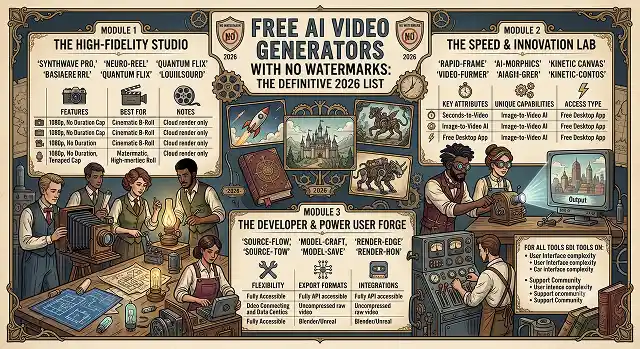
A paradigm shift has occurred in the realm of AI video generation. For years, the term "AI video generator free" always had a fine print – a very unsightly and semi-transparent logo right on your display or the limit set to a grainy 360p resolution.
Moving into 2026, increased computational efficiency has decreased rendering costs. Multi-modal aggregators, open-source frameworks, and tech giants competing aggressively are struggling for users. Hence, creators can now enjoy high-quality, ready-to-broadcast AI videos without paying a dime and having any watermark whatsoever.
If you are growing a faceless YouTube Shorts channel, creating an ad mock-up for your clients, or producing an indie film prototype, here is the ultimate guide to the best free AI video generators that have no watermarks.
1. Seedance 2.0: Best for High Daily Output & Speed
Developed as a lightning-fast browser engine, Seedance 2.0 is the reigning champion for sheer daily volume. Instead of locking you into a single mathematical approach, its interface unifies access across several frontier engines.
[Text/Image Prompt] ➔ [Seedance Hub] ➔ Route to: Veo 3 / Kling / Wan ➔ 1080p Clean Export
- The Free Deal: You get 100 free credits daily that refresh automatically at midnight.
- Watermark & Resolution: Zero watermarks ever. The free tier natively supports clean 1080p Full HD exports.
- Why it Wins: Most free tiers make you wait in line for 5 minutes per clip. Seedance utilizes an optimized cloud stack that returns full 4-second video iterations in roughly 30 seconds. It also supports native lip-syncing and text-to-video modalities directly out of the box.
2. Google Veo 3: Best for Photorealism & Physics Coherence
Google’s Veo 3 is the gold standard for cinematic realism and multi-object consistency. It handles gravity, fluid dynamics, and complex lens movements flawlessly.
- The Free Deal: Every personal Google account receives 10 free high-fidelity video generations per month via Google Vids and AI Studio integration.
- Watermark & Resolution: Clean, unbranded exports capped at 720p resolution on the base free flow.
- Why it Wins: Veo 3 features audio-native generation. While other free models generate silent footage that forces you to manually overlay sound later, Veo 3 creates synchronized environmental sound effects, background ambience, and deep spatial audio alongside the video pixels in a single pass.
3. Kling 3.0: Best for Human Motion & Lip-Syncing
If your project focuses heavily on human subjects—actors walking, characters talking, digital avatars, or complex hand tracking—Kuaishou's Kling 3.0 outclasses standard text-to-video models.
- The Free Deal: Grants 6 free standard-quality video credits per day.
- Watermark & Resolution: Free web studio generations can be exported clean with no branding overlay at 1080p quality.
- Why it Wins: Kling 3.0 features elite Character Consistency locks. By uploading a single photo reference, you can instruct the AI to spin, run, or speak up to 15 seconds without the actor's face morphing or distorting midway through the shot.
4. Stable Video Diffusion (SVD): The Unlimited Open-Source King
For developers and solo creators who refuse to deal with credit limitations, daily queues, or corporate terms of service, Stability AI's Stable Video Diffusion remains the ultimate fallback tool.
- The Free Deal: 100% permanently free. Open-source code available via GitHub and running locally or on public Hugging Face spaces.
- Watermark & Resolution: Completely unwatermarked. Your maximum export resolution is limited only by your own PC's hardware capacity.
- Why it Wins: Because it runs locally on your system, there are no credit limits, no subscription plans, and absolute privacy. It provides deep parameter control over motion buckets and camera augmentation, though it requires a dedicated local NVIDIA GPU (~8GB+ VRAM) to run comfortably.
Direct Feature Comparison Matrix
AI Tool Architecture · Allocation & Rendering Benchmarks (2026)
| AI Video Generator | Daily Free Allowance | Maximum Resolution | Native Audio? |
|---|---|---|---|
| Seedance 2.0 | 100 Credits Daily | 1080p Full HD | Yes (Lip-Sync) |
| Google Veo 3 | 10 Videos / Month | 720p HD | Yes (Fully Multi-Modal) |
| Kling 3.0 | 6 Videos Daily | 1080p Full HD | Yes (Dialogue & SFX) |
| Stable Video Diffusion | Infinite (Local Run) | Hardware Dependent | No (Silent Output Only) |
| Creen AI | Unlimited Base Quota | 1080p Full HD | Varies by Model Chosen |
Request A Custom AI Video
Tell us what you're trying to create and we'll point you to the right tool — or help you set it up.
5. Creen AI: Best for Zero-Friction Multi-Model Testing
If you hate signing up for new accounts just to try out software, Creen AI is a browser-based creator node built around absolute simplicity.
- The Free Deal: Generous, rotating daily open quotas across 28 distinct text-to-video engines.
- Watermark & Resolution: Export clean 1080p clips with zero branding paywalls.
- Why it Wins: No signup or login required. You open the site, drop a prompt, and immediately run generations across frontier models like Sora 2, Veo 3.1, Kling V3, and Hailuo 2.3 from a single unified workspace.
The Pro-Level Cinematic Prompting Framework
To get premium results out of free tiers without digital artifacts or weird structural morphing, structure your prompt text using the "Subject + Setting + Action + Camera + Light" sequence:
Structure your prompt around these four building blocks, in order:
1. Define the Primary Subject
- Start with hyper-specific naming structures rather than generic words.
- Avoid: "A generic woman standing outside."
- Use: "A weather-beaten maritime captain in a heavy yellow canvas raincoat."
2. Set the Scene Environment
- Anchor your characters firmly within a space to prevent background texture floating. Add spatial markers: "Standing on the wooden deck of a commercial fishing trawler during a massive ocean storm, crashing waves."
3. Instruct Camera & Subject Motion
- Tell the AI exactly how to shift pixels. Use technical cinematography terms to guide the algorithm smoothly: "Slow anamorphic dolly zoom, extreme close-up tracking shot on the captain's eyes."
4. Inject Lighting and Texture Modifiers
- Bake your stylistic quality choices directly into the prompt matrix: "Moody low-key cinematic lighting, dramatic orange and teal color grade, realistic mist particles scattering, 35mm film texture."
Watermark-Free Video AI
The absolute best zero-cost video engines for clean, high-definition exports in 2026.
The absolute best entry points include Kling AI (offers free daily login credits with completely clean, watermark-free standard resolution exports) and Luma Dream Machine (provides a generous monthly rolling tier with pristine edge outputs). If you want an app-driven experience, CapCut AI allows you to use their text-to-video tools and download clean clips as long as you remove the standard closing template page on the timeline.
Open-source video foundations—like Wan2.1, CogVideoX, and open Sora weights—are shared publicly without marketing limits. Development teams build free, accessible browser demos inside Hugging Face Spaces backed by community cloud hardware. Because these are community research spaces rather than commercial software platforms, they let you prompt, render, and download raw media blocks with absolutely no logo stamps attached.
Running complex spatial-temporal video transformers locally (via interfaces like ComfyUI) demands serious local processing power to avoid system crashes. Your system requires a minimum floor of 16GB system RAM alongside an NVIDIA graphics card carrying at least 12GB of dedicated VRAM (like an RTX 4070 or better). If your laptop runs on standard integrated graphics or a basic processor layer, sticking to cloud-based web tool instances is highly recommended.
Commercial companies add brand watermarks to free accounts to act as free viral advertising and encourage you to buy a premium subscription. To bypass this restriction safely without paying, design your generation prompt settings to keep your primary subject centered with an expansive border padding layout. You can then use a free open-source editing canvas like DaVinci Resolve or CapCut to crop the clip margins slightly, removing the corner logo cleanly without warping the main action.
This depends entirely on the specific platform's terms of service agreement. Platforms like Kling AI grant full usage freedoms on standard outputs, but some corporate engines explicitly restrict free accounts to personal portfolio use or educational projects only. If you are uploading these clips to a monetized YouTube channel or a client's business site, make sure you choose open-source model spaces or select options that officially declare commercial freedom on free tiers.
Build a smart Multi-Engine Pipeline Rotation. Instead of wasting all your monthly credits on a single engine trying to perfect a complex scene, distribute the work: spend your daily Kling tokens on intricate physics or character interactions, jump over to Luma Dream Machine for smooth camera panning, and use Hugging Face spaces for fast, experimental drafts. Stacking your workflows this way keeps your production moving forward without running into credit wall stops.
Stick strictly to this secure 3-Step Zero-Cost Blueprint: First, run your structured descriptive script lines inside an open engine like Kling AI using standard definitions to build your raw base clips. Second, inspect the downloaded layout files to ensure no branding markers cover the frame edges. Finally, drop your clean clips into a free editor like CapCut to adjust pacing, stitch transitions, and export your polished, watermark-free master file.
Ready to try AI Videos?
Transform your ideas into cinematic video in seconds.