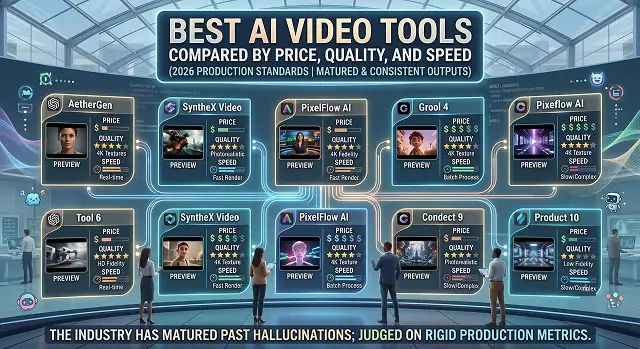
The landscape of generative AI video has reached a fascinating turning point. The industry has matured past the era of random, warping hallucinations; in today's landscape, AI video tools are judged on the rigid production metrics of Price, Quality, and Speed.
Whether you are an independent content creator pushing daily social media shorts, a marketing director managing high-volume enterprise ad campaigns, or a filmmaker assembling high-end cinematic pre-visualizations, choosing the wrong platform can waste hundreds of dollars and dozens of hours.
The Short Version
Need maximum creative control and a full editing suite around the generation itself? Runway is worth the higher price. Want speed above everything, for rapid iteration on ideas? Pika generates absurdly fast. Chasing the most cinematic-looking output with the least fuss? Luma Dream Machine. Need a realistic human presenter talking to camera rather than a generated scene? Synthesia is a different category entirely, and still the one to beat there. And if raw visual realism is the only thing that matters and budget is genuinely not a constraint? Google Veo, full stop.
1. Runway — Best for Creative Control
Runway earns its reputation less from any single flashy generation and more from everything built around it. Beyond raw text-to-video, you get an actual editing suite layered on top — in-video editing tools, motion capture features, and pipeline-building options that make it feel more like a production tool than a one-shot generator.
Quality: genuinely strong, especially on stylized and VFX-adjacent content, though it's not chasing raw photorealism the way Google's model is. Speed: reasonable, not the fastest on this list. Price: there's a usable free tier with a one-time credit allotment, and the standard paid plan sits in an accessible mid-range, though heavier commercial use climbs from there.
2. Pika — Best for Speed and Rapid Iteration
Pika's whole identity is built around not making you wait. Short clips generate in a genuinely small number of seconds, which makes it the tool I actually reach for when I'm still figuring out what a scene should look like and don't want to commit real time to each attempt.
Quality: solid for stylized effects and shorter clips, though on our test prompt the camera angle didn't always match exactly what we asked for — it's a bit more "creative interpretation" than literal instruction-following. Speed: the fastest tool on this list by a real margin. Price: a generous free tier to start, with paid plans scaling by monthly credits rather than a flat unlimited fee.
3. Luma Dream Machine — Best for Cinematic Look, Fast
Luma manages a trick that's harder than it sounds: genuinely fast generation that still looks cinematic rather than rough. The keyframes feature stood out on our test — set a start and end image, and the model fills in a surprisingly coherent path between them, which is a genuinely useful degree of control most fast tools don't offer.
Quality: consistently polished, cinematic-leaning output — one of the more visually pleasing tools we tested. Speed: very fast, close to Pika's territory. Price: the free tier is limited to shorter, lower-quality draft clips with a watermark, and the paid tiers scale up meaningfully in price for higher usage and quality.
Side-by-Side At a Glance
Tool · Price Tier · Quality · Speed
| Tool | Price / Quality / Speed Summary |
|---|---|
| Runway | Price: Free tier, accessible mid-range paid plan. Quality: strong, stylized-leaning. Speed: moderate. Best for creative control and full production pipelines. |
| Pika | Price: generous free tier, credit-based paid plans. Quality: good for stylized/short clips. Speed: fastest on this list. Best for rapid iteration. |
| Luma Dream Machine | Price: limited free draft tier, meaningful jump for paid quality. Quality: consistently cinematic. Speed: very fast. Best for polished looks without a long wait. |
| Synthesia | Price: the priciest tool here. Quality: excellent, but only for presenter-led video, not scene generation. Speed: reasonably quick. Best for corporate and training content. |
| Google Veo | Price: usable free daily credits, premium cost for full quality. Quality: the highest raw fidelity tested, with native audio. Speed: slower at top quality. Best when budget allows and realism matters most. |
Request A Custom AI Video
Tell us what you're trying to create and we'll point you to the right tool — or help you set it up.
4. Synthesia — Best for Presenter-Led Video, Not Scene Generation
Synthesia doesn't really belong in a head-to-head "which one generates the best cinematic scene" comparison, and it's worth being upfront about that. It's not building imaginative scenes from a prompt — it's generating a realistic avatar reading a script, which is a genuinely different job than the other four tools here are doing.
Quality: for its actual use case — talking-head, presenter-style video — it remains the most convincing option around, with strong multilingual lip-sync. Speed: quite fast after the script and avatar are set up. Price: definitely the most expensive software on this list, but that is expected considering the professional-level guarantees and licenses that you are purchasing.
5. Google Veo — Best Raw Quality, If Budget Allows
Google's model is the one that made the rest of the category visibly nervous when it landed. Details most tools still struggle with — rain actually landing on fabric instead of passing through it, a walk cycle where weight shifts convincingly between feet — are noticeably better handled here than anywhere else we tested.
Quality: the strongest raw visual fidelity of anything on this list, including native audio generation in the same pass. Speed: slower and pricier at full quality, though a faster "draft" tier exists for iterating before committing to a final render. Price: there's a genuinely usable free daily credit allowance to test the waters, but full-quality access sits at the premium end of the entire category.
How to Actually Pick, Based on What You're Optimizing For
“Best” really depends on which one of the three—price, quality, or speed—you are ready to compromise on since no tool excels at all three simultaneously. This is not a problem of any particular platform; this is just the nature of the field.
- Optimizing for price? Start on Pika or Runway's free tiers before paying for anything — both are genuinely usable, not just a crippled demo.
- Optimizing for speed? Pika and Luma both generate fast enough for real-time-feeling iteration; don't bother with Veo's top tier if you're still exploring ideas.
- Optimizing for raw quality and don't mind paying? Google Veo currently sets the bar, though Runway and Luma aren't far behind for most everyday use cases.
- Need a real person talking, not a generated scene? None of the scene-generation tools above are actually the right comparison — go straight to Synthesia.
The fastest way to waste money on AI video tools is paying premium prices for quality you're using to draft ideas, instead of drafting cheap and only paying up for the version you'll actually publish.
That draft-then-upgrade workflow is honestly the biggest lesson from testing all five side by side. Generate cheap, fast drafts to nail down the idea first, then spend the higher-tier credits only on the shot you're actually going to publish. It's a small habit change that saves a real amount of money once you're generating regularly.
AI Video Matrix
An industry comparison balancing credit cost, rendering time, and physical output quality.
Kling AI 3.0 holds the value crown. Starting at just $10 per month, its standard tier outputs hyper-realistic human motion and anatomy that rival engines charging triple the price. It strikes a far better financial balance for solo creators than premium platforms like Runway or Sora when building a portfolio.
The difference is massive. Turbo modes utilize trimmed-down mathematical models to deliver rough 5-second drafts in less than 15 seconds—ideal for checking camera layouts. High-fidelity Quality modes run deep physical checks and texture enhancements, taking anywhere from 2 to 5 minutes per clip depending on current server cluster queues.
Generating sound effects and background ambience directly within the scene model burns credits significantly faster. For example, on models like Google Veo or Kling Pro, toggling sound generation changes the rate from roughly 8 credits per second up to 12 or 15 credits per second. If budget efficiency is your main metric, generate your clips silently and layer independent audio assets later.
OpenAI Sora and Google Veo 3.1 set the gold standard for luxury production pipelines. Their advanced spatial computing architectures map environmental shadows, atmospheric lighting, and fluid surface dynamics perfectly. The cost is high—often scaling to roughly $0.50 per second on standard pay-per-use API setups—but the outputs look like high-budget film sets.
Most subscription plans implement a "Use It or Lose It" system. Platforms like Runway Standard ($15/mo for 625 credits) or Kling do not roll over remaining credits to the next month—they wipe clean on your billing date. If your agency production fluctuates heavily, look for tools that support independent top-up credit packs, which usually remain valid for two full years.
Yes, Runway offers an Unlimited Plan ($95/month) featuring an "Explore Mode." While it limits your high-speed concurrent runs, it unlocks unlimited generations at a relaxed processing rate. This is incredibly powerful for iteration-heavy workflows where you need to run dozens of experimental prompts without stressing over billing limits.
Utilize a deliberate Multi-Tier Production Pipeline: Spend zero dollars drafting your baseline concepts and scene sequencing using the daily free credits on tools like Kling. Once your creative path is locked in, move your assets to a entry-level commercial subscription (like Runway or Luma) to strip out watermarks and upscale the layout to professional delivery standards.
Ready to Generate Your First Video?
Compare styles and pricing tiers before you commit to a plan.