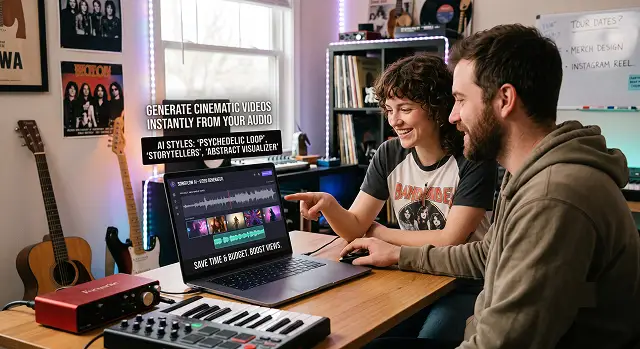
For independent artists, groups, and labels, videos are not an extra element but something that fuels their views on Spotify, YouTube, and TikTok. Nevertheless, the creation of traditional videos could cost a fortune and take a lot of time to be prepared.
Video generators have turned this process into something else entirely. Whatever kind of video you are going to make – whether it is a full-length story, a rhythmic background for Spotify Canvas, or something else, there is an AI generator for your needs.
The Short Version
Want one tool that handles the whole release — music video, lyric video, and a Spotify Canvas loop — without hopping between platforms? Freebeat covers the most ground. Want something more painterly and abstract, where the visuals feel like art rather than a template? Neural Frames. Chasing a specific stylized aesthetic — cyberpunk, watercolor, whatever mood you're describing in a prompt? Kaiber. Need a clean, professional lyric video fast, with a library of proven templates? Rotor. Just want a solid, free, no-fuss audio-reactive visualizer for a quick YouTube upload? Specterr.
1. Freebeat — Best for a Full Release Package
Freebeat's whole pitch is treating the song itself as the creative brief — it analyzes BPM, structure, and where the chorus actually hits, then builds visuals that are timed to that structure rather than just looping generic footage under the track. In our demo, the transitions really hit the beat drops without me having to manually adjust anything, saving actual time.
This is where the "full package" gets its name: not only does it handle the video editing part itself, but it will also handle lyrics video mode, Spotify Canvas looping video and different aspect ratios depending on whether your video will be played on TikTok or YouTube. The versatility also means that you have to spend more time getting used to the program.
Cost-wise — plans are priced around weekly or monthly credits, positioned as an all-in-one release tool rather than a casual one-off app.
2. Neural Frames — Best for Artistic, Story-Driven Visuals
This one takes a genuinely different approach than most of the category. Instead of overlaying text on a background, it generates artistic keyframe images that interpret what your lyrics actually mean, then animates the journey between them — the words become part of the artwork rather than sitting on top of it.
In the case of a more lyrical and moody piece like the demo we used, this gave us a more real feeling of a short film than that of a template-based lyric video. This isn’t the quickest route by any means, and if your song has more of a happy-go-lucky feel, the creative timing could actually be counterproductive to your goals.
Cost-wise — it's typically priced around generation credits, in a similar range to other AI-first visual tools in this category.
3. Kaiber — Best for a Specific Stylized Look
Kaiber's strength is taking a mood you can describe in a sentence — "neon cyberpunk alley at night," "hand-drawn watercolor dream sequence" — and actually chasing that aesthetic consistently across the video. It also accepts album art or promo photos as a starting point, animating them into a moving sequence rather than generating a scene from nothing.
It is adept at dealing with the overall feel and arrangement of the song, although it is not quite as specific as to the beat timing as something that would be developed for musical purposes alone. If one places aesthetics above accuracy, then this is a good choice.
Cost-wise — there's a free tier to experiment with prompts, with paid plans unlocking longer generations and more monthly credits.
Side-by-Side At a Glance
Tool · Best For · Trade-Off
| Tool | Best For / Trade-Off |
|---|---|
| Freebeat | Full release package — music video, lyric video, and Canvas loop in one workflow. Trade-off: more setup options mean a longer learning curve than single-purpose tools. |
| Neural Frames | Artistic, story-driven visuals where lyrics become part of the artwork. Trade-off: pacing suits atmospheric songs better than upbeat, hook-driven tracks. |
| Kaiber | Chasing a specific stylized aesthetic from a text prompt or album art. Trade-off: less precise beat-level timing than music-first tools. |
| Rotor | Fast, professional lyric videos from a proven template library. Trade-off: lower creative ceiling since it assembles footage rather than generating original visuals. |
| Specterr | Free, simple audio-reactive visualizer for quick uploads. Trade-off: no original scene generation or storytelling. |
Request A Custom AI Video
Tell us what you're trying to create and we'll point you to the right tool — or help you set it up.
4. Rotor — Best for Fast, Professional Templates
There’s nothing new about Rotor when it comes to the world of music marketing, and this is evident in the way the software seems highly attuned to its task. Just upload your song, add your lyrics, select a visual template, and the AI will do the rest by syncing the lyrics to the beat seamlessly and quickly.
The honest trade-off: it's assembling from existing footage and templates rather than generating original AI visuals from scratch, so the creative ceiling is lower than the AI-first tools on this list. You'll likely recognize the general "look" across other lyric videos that used the same templates. For a quick, polished release asset, that's a reasonable trade for the speed.
Cost-wise — it runs on a credit system with a large stock footage library bundled in, and it's generally positioned as one of the more accessible options here.
5. Specterr — Best Free, No-Fuss Visualizer
Specterr doesn't try to be everything. It's a straightforward audio-reactive visualizer — waveforms, particle effects, frequency-driven motion — with a handful of aesthetic themes (minimalist, retro, EDM-style) layered on top. Upload a track, pick a theme, adjust colors, done.
It won't generate an original animated scene or a story-driven video the way the AI-first tools do, and it's not trying to. For a remix, a DJ set upload, or a quick "here's the song" YouTube post where you just need something reactive on screen, it's genuinely the fastest, lowest-effort option on this list.
Cost-wise — there's a usable free plan for standard exports, which makes it an easy default for artists who don't need anything more elaborate.
A Quick Note on Rights and Sourcing
However, if you are using visuals based on album art, promotional pictures, and other references, remember that you must be able to prove that you legally own whatever you put into such tools; your own photos and illustrations won't cause any trouble here, while using another person's copyrighted picture for style references may lead to some issues later, especially when you are trying to monetize your video. Usually, there shouldn't be any problem for a user to use their own image, lyrics, and original artwork, while copyrighted visual content of someone else may cause some problems.
A music video doesn't need a film crew anymore — it needs an artist willing to sit with a tool for an afternoon and actually iterate until it feels like the song.
And that's really the entire lesson in trying out all five of these at once. No one hit the nail on the head when it came to the mood in the very first go. Each one of them improved after a while of me not accepting their first output and adjusting the prompt or style according to the needs of the situation. You get 80% of the work done by the tool itself.
AI Video Tools for Musicians
Generate breathtaking music videos, looping canvas assets, and social promos that match your sound.
The top choices depend on your visual direction: For surreal, psychedelic, morphing art animations that sync deeply with instrument frequencies, Kaiber.ai and NeuralFrames are the undisputed favorites. For cinematic storytelling, high-fidelity narrative scenes, or band portraits, tools like Runway Gen-3 Alpha and Luma Dream Machine 2.0 give you unmatched physical and lighting realism.
This is managed via Audio Reactivity Mapping. When you upload your master track into dedicated music-AI tools like Kaiber, the engine analyzes the audio stems. It detects volume spikes, heavy bass drum hits, or frequency changes and maps them straight to generation variables. A heavy bass kick can trigger an aggressive visual camera zoom, while a mellow vocal part keeps the motion fluid and slow.
Yes, and it’s an incredible hack for engagement. Spotify Canvas requires short vertical clips between 3 and 8 seconds long. By toggling the "Seamless Loop" setting inside engines like NeuralFrames or Runway, the model mathematically constrains the generation so that the last frame matches the first frame perfectly, creating an infinite visual loop.
To maintain likeness without glitching, avoid pure text prompts. Use an Image-to-Video baseline workflow. Take a crisp, well-lit photograph of the band or artist, upload it as your primary structural anchor or character reference layer, and set the motion value strictly to a moderate range (level 3-5). This allows the AI to introduce slow stylized environment shifts around the performers while keeping their faces instantly recognizable.
Do not try to render all three minutes in one massive blind prompt block. Break your track down into its natural musical layout: Intro, Verse, Chorus, and Bridge. Generate short, high-fidelity 5-to-10 second clips for each specific segment, using matching text themes or seed values. Finally, assemble and cut the modules manually inside an editor like CapCut to match your structural changes.
Absolutely. To anchor a genuine vintage aesthetic, swap vague descriptive words for clear cinematography markers. Include formulas like: "Vintage 16mm film grain, muted retro color palette, nostalgic lens flare, dreamy lo-fi atmosphere, slow handheld camera drift, dramatic backlighting, cinematic underground gig mood."
Animate the lyrics, not just random B-roll. Take the absolute catchiest 15-second hook of your upcoming release. Run the audio through an editor with kinetic automated caption features, lock in a clean block typography style, and use high-contrast dark AI visuals as your background canvas. Syncing snappy text animations directly to your vocal performance keeps the audience locked in on your words.
Ready to Give Your Track a Visual?
Turn your song into a publish-ready video without a production crew.