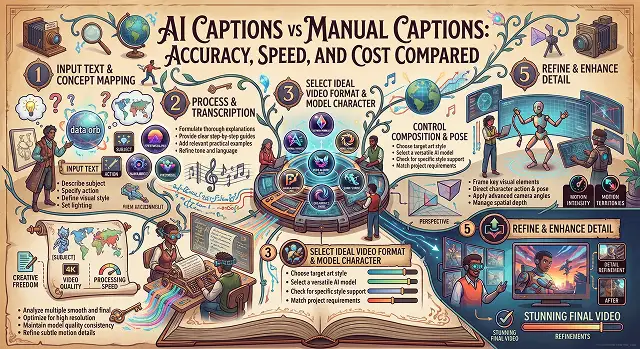
With the rise of video and the overwhelming influence of video content particularly in the last two years, it is essential to pair video or multimedia content with text overlay. Having subtitles is now not just a preference for any content creator but rather a necessity. This is due to the fact captions make the content accessible to people with hearing disabilities (the deaf) and make it possible for a greater number of people to engage with the content.
The issue which content creators, marketers, and video editors always face is whether to use automated AI caption generators or to pay for human transcribers.
Until recently, human transcription has been the most reliable way of getting accurate captions. However, the new generation of automated speech recognition (ASR) software that uses the latest developments in neural networks has turned the whole process upside down. Here is an in-depth comparison which touches upon the three main aspects: accuracy, speed, and costs involved.
Above-the-Fold Breakdown: AI Captions vs. Manual Captions
Captioning Efficiency Matrix · Automated ASR vs. Human Transcription
| Comparison Metric | AI Captions (Automated ASR) | Manual Captions (Human Transcription) |
|---|---|---|
| Average Accuracy Rate | 92% – 98% (Varies with background noise & accents) | 99% – 100% (Handles heavy jargon & crosstalk) |
| Turnaround Speed | Near-Instant (1–3 minutes per 10 min clip) | 12 to 24 Hours (Requires manual editing time) |
| Cost per Video Minute | $0.00 – $0.05 (Free on native web tools) | $1.25 – $3.00+ per audio minute |
| Multi-Language Dubbing | Instant 50+ Languages via automated translation | Expensive (Requires specialized translators) |
| Custom Styling & Kinetic FX | Automated (Auto-highlighting, kinetic pop-ins) | Manual (Requires manual keyframing in NLEs) |
1. Speed & Turnaround Time: The Need for Fast Delivery
In Social Media Publishing, timing is Key If you are breaking news, responding to industry trends or uploading your daily shorts, wait 24 hours and getting an. Srt file from a human transcriptionist and you have missed The Moment.
- AI Captions: Our automated speech-to-text software reads the sound waves at up to 1/2 speed. A 10-minute video file will be timecoded and converted to artistic kinetic captions in under 90 seconds.
- Manual Captions: In a manual process, an editor or another company would take your video, stop and rewind it to listen again and again and transcribe your dialog from what you wrote. Even at an express rate, 6-12 hours turn around 33500. 78
- Winner: AI Captions. For daily creators, short-form editors, and agile marketing teams, AI provides an unmatchable turnaround advantage.
2. Accuracy, Accents, & Technical Jargon
Where human transcribers historically excelled was navigating difficult audio environments. How do modern AI engines compare when faced with complex audio?
- Manual Captions: Human transcribers excel at filtering out loud ambient music, understanding heavy regional accents, and researching niche medical, legal, or technical terminology. They correctly place punctuation and accurately distinguish between homophones based on context.
- AI Captions: AI Captions Modern neural ASR models are around 98% accurate, but struggle in complex scenarios like industry-specific vocabulary, multi-speaker over talks, or very “noisy” and background sound rich recordings.
- Pro Tip: The optimal industry hybrid workflow is to let AI perform the initial 95% pass instantly, then spend 60 seconds skim-reading the generated text to fix minor brand name spellings before rendering.
- Winner: Manual Captions (By a small margin for specialized, noisy, or legal footage).
3. Cost Analysis: Scaling Your Content Budget
When producing multiple videos each month, the cost of captioning may take a toll on your profits.
1. Calculate Manual Expenses
- Manually transcript a 20-minute video show once a week using third-party agencies typically run from $120 to $150 a month, a little more than $1,400 a year for text sync.
2. Evaluate Automated AI Costs
- Running that exact same video volume through cloud-accelerated AI creation suites costs $0 when utilizing integrated browser tools, saving creators thousands of dollars annually.
💾 Subtitle File Formats: Web Standard Reference
Caption Container Architecture · Export Standards & SEO Compatibility
| Subtitle Format | File Extension | Ideal Use Case | Key Features & Constraints |
|---|---|---|---|
| SubRip Subtitle | .srt |
YouTube, Facebook, Web Players | The universal web standard. Plain text with basic timestamps; lacks advanced custom styling. |
| Web Video Text Tracks | .vtt |
HTML5 Web Browsers & SEO | Best for Web. Supports custom fonts, colors, positioning, and is indexed by search crawlers. |
| SubStation Alpha | .ass |
Anime, High-End Video Editing | Supports advanced kinetic styling like margins, stroke outlines, and animations. |
| Hardcoded (Burned-In) | N/A (Rendered into Video) | TikTok, Reels, Shorts Ads | Permanently burned directly onto video pixels. Guarantees 100% visual consistency across devices. |
Request A Custom AI Video
Tell us what you're trying to create and we'll point you to the right tool — or help you set it up.
A Technical Exploration of AI-Powered Speech Recognition
To comprehend the fast rise of AI captions on par with shots of human transcribers, we require a closer look at how contemporary automatic speech recognition (ASR) systems work internally.
Traditional machine transcription relied on phonetic matching principles, in which sound frequencies were converted to text letter by letter on each and every frame. Modern AI solutions, however, leverage Antonine platform AI neural networks that transform the sound in two different ways simultaneously.
- Acoustic modeling: AI transforms raw audio waves into an image that looks like a mel-spectrogram. This enables a neural network to process tone pitch, intensity and time separately and in isolation from environmental noise.
- Language Modeling (Contextual Acuity): Concurrently, the LLM backbone is processing the surrounding words to try to figure out what should come next. So in the case of a weak audio, the AI applies common sense to try to figure out if you probably heard "there,their," or "they're".
P(Word Sequence | Audio Waves) = P(Acoustic Match) x P(Grammar Context)
This two-level approach enables modern AI to accurately transcribe even slang, filler words like “um” or “ah”, and pauses that weren’t registered by old programs.
The Best "Hybrid" Editing Workflow for 100% Error-Free Work
Whether you have a busy YouTube channel, an online training program or an e-commerce business, you don't have to pick between human accuracy and speed of AI. The best media operations use Hybrid Workflow:
- 1. Automated AI Pass (Speed Stage): Run your raw video through an automated caption engine. Within 60 seconds, 95% to 98% of your spoken text, timestamps, and kinetic animations are generated automatically.
- 2. Targeted Keyword Audit (Quality Pass): Open the text editor transcript view. Use the search bar to scan strictly for brand names, technical jargon, or uncommon proper nouns (e.g., changing "A.I. Videos" to "aivideoss.com").
- 3. Automated Re-Sync & Export: Simply hit save. The automated technology does the job and updates timing markers and kinetic captions on the whole timeline without manual keyframing.
In this way, it is possible to save a lot of money on transcription, as AI takes care of major tasks, while a human only takes a minute to check the work done by AI.
Kinetic Caption Stylistics: Increasing Social Media Viewer Retention
In addition to ordinary translations, captions also act as crucial visuals in viewer retention algorithms in TikTok, Instagram Reels, and YouTube Shorts. The static text displayed at the bottom part of the screen tends to be overlooked, while Kinetic Captions stimulate viewers' eyes and attract them.
Three Basic Principles for Making Okay Subtitles go Viral:
- Constantly Highlighted Words: Display every word in a bright contrasting color (neon-yellow, for instance) at the exact moment they are spoken. This will help the viewer focus visually.
- The 3 Words Only Rule: Never show more than 3-4 words of the text at once for the short-form content. Long phrases sound unattractive visually, but short lively phrases have a rhythm and lively attitude.
- Placement in Safety Zone: Make sure that you place captions in the middle and bottom area of the picture. Do not position them at the very bottom or on the right side of the screen where the UI of the platform (video heading, "like" buttons, sound sign, etc.) would hide them.
Captioning Engine Comparison
Analyze transcription accuracy thresholds, turn-around speed metrics, and cost-per-minute scalability.
Professional human transcription services maintain a gold-standard accuracy rate of 99% or higher, particularly across complex medical, legal, or heavily accented dialogue. Modern AI speech-to-text engines (like OpenAI Whisper and Deepgram) deliver 90% to 95% baseline accuracy on clear audio. However, AI accuracy can dip slightly when encountering heavy background noise, overlapping speakers, or specialized technical jargon.
AI wins decisively on speed. Automated speech engines process a 10-minute video in under 30 seconds, generating instant word-level timestamps. Manual human transcription typically requires a 12 to 24-hour turnaround window for standard orders, making human services impractical for daily social media publishing schedules or rapid news turnarounds.
Human transcription services (like Rev or GoTranscript) generally charge between $1.25 and $3.00 per audio minute, which adds up quickly for high-volume content channels. AI captioning tools operate via software subscriptions or API pricing that averages $0.005 to $0.02 per minute—yielding cost savings of over 95% for high-volume video pipelines.
For creator-focused video editing, CapCut Desktop, Descript, and AutoCap lead the space with animated word-by-word highlights and styling templates. For professional post-production editors, DaVinci Resolve Studio and Adobe Premiere Pro (Text-Based Editing) provide offline speech-to-text engines directly on your timeline. For developer integrations, OpenAI Whisper and AssemblyAI are top choices.
Modern speech models employ Speaker Diarization to distinguish between different voices in a conversation. To prevent errors with custom brand names, acronyms, or technical terminology, advanced AI tools allow creators to upload a Custom Vocabulary Dictionary. Adding uncommon terms to your workspace settings before processing ensures the AI spells specialized vocabulary accurately.
Regulatory standards (such as ADA Title III or FCC broadcast mandates) strictly mandate a 99% accuracy threshold for closed captions. Raw, unedited AI output rarely hits this legal mark on its own due to occasional missing punctuation or minor typos. For legal compliance in government, educational, or broadcast environments, deploy a **Hybrid workflow**: generate the transcript using fast AI speech models, then perform a quick human review pass to verify formatting.
Follow this proven 3-Step Hybrid Captioning Pipeline: First, run your video through a fast AI transcription tool (like Whisper or Premiere Pro) to generate instant subtitle timing blocks. Second, execute a quick 2-minute "human-in-the-loop" review pass to fix proper nouns, brand names, or technical terms. Finally, apply dynamic text styling, highlight colors, and export your polished .SRT or burned-in caption file.
Ready to try AI Videos?
Transform your ideas into cinematic video in seconds.