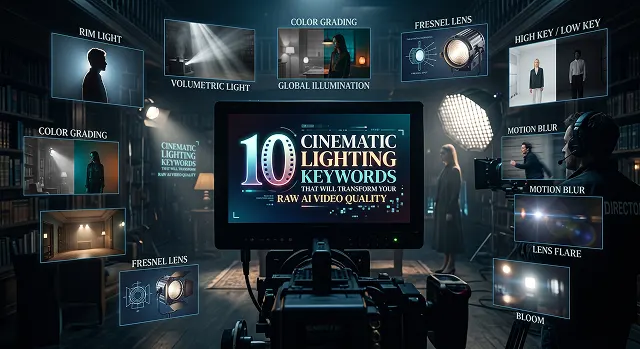
If you've dabbled at all with some of these AI video generators such as Kling AI, Runway Gen-3, and Google Veo, you'll know that the results are often extremely unrealistic looking. The characters appear to have that flat wax-like "plastic skin" appearance, the environment is devoid of any depth, and everything looks more like a video game cutscene rather than Hollywood style cinema.
The secret to breaking out of that amateur loop isn't rewriting your entire prompt script. It’s all about the lighting data.
Modern AI video engines are actually trained off of millions of hours of footage that has been filmed professionally. They aren't just responding to general terms such as "high-quality" or "photorealistic." They actually understand the technical jargon of the gaffer or cinematographer.
Here are 10 of these cinematic lighting terms that you need to include in your prompts to make the AI engine perform its magic.
1. Volumetric Lighting (or "God Rays")
- What It does: Makes the AI imagine light particles moving through fog, dust, or smoke in the air. Instantly give depth to flat rooms.
- Prompt Example: "Shafts of volumetric lighting streaming through cracks in the concrete ceiling and lighting up floating dust particulates."
2. Chiaroscuro
- What It does: Draws inspiration from classical painting and the film noir genre. It instructs the engine to generate a harsh transition from the lit to dark side, hiding one-half of the subject in deep shadows.
- Prompt Example: “A low key chiaroscuro light setup, dramatic shadows cast on a detective’s face.”
3. Rim Light / Edge Glow
- What It does: Puts an extremely strong light behind your subject. Creates a hard-edged outline around the hair and shoulders of your subject to lift them against a dark background.
- Prompt Example: "Tracking shot of a boxer, strong rim lighting to separate him from dark gym background, shiny skin textures."
4. Anamorphic Lens Flare
- What It does: Recreates the lens artifacts of classic Hollywood film cameras. It breaks up the perfect, cold digital look of AI video by adding horizontal light leaks.
- Prompt Example: "A sleek vehicle driving past the lens, striking horizontal anamorphic lens flares bleeding across the widescreen 2.39:1 aspect ratio frame."
5. Specular Reflection
- What It does: It does this by forcing the model to create tiny shimmers on the surface of things that are either wet, made of glass, or metallic, instead of painting them solidly.
- Prompt Example: "Scene from a Cyberpunk city, nighttime, rainy, sharp specular highlights on the wet streets and neon-lit stores."
Lighting Cheat Sheet
Cinematic Prompts · Psychological Mood & Visual Effects Index
| Keyword | Best For | Psychological Mood | Visual Effect |
|---|---|---|---|
| Volumetric Lighting | Sci-Fi, Fantasy, Dusty Rooms | Mystery, Grandeur, Scale | Creates visible light beams/shafts through particles. |
| Chiaroscuro | Drama, Film Noir, Thrillers | Tension, Secrecy, Intimacy | Extreme contrast between deep shadows and bright lights. |
| Rim Light / Edge Glow | Character separation, Action | Heroic, Focused, Sleek | Outlines the subject with a subtle, bright backlight highlight. |
| Anamorphic Lens Flare | Blockbusters, Sci-Fi Cinematic | Premium, High-Budget Feel | Horizontal horizontal light streaks stretching across the frame. |
| Specular Reflection | Wet streets, Night-shots, Skin | Realistic moisture, Crispness | Adds tiny shining spots on damp or metallic surfaces. |
| Gobo Projection | Moody interiors, Suspense | Paranoia, Texture, Art | Casts patterns of shadows (like window blinds) across the scene. |
| Sodium Vapor | Gritty urban night, Cyberpunk | Industrial, Raw, Nostalgic | Recreates the distinct yellow-orange glow of old street lamps. |
| Diffused Softbox | Professional interviews, Beauty | Flattering, Calm, Corporate | Completely eliminates harsh facial shadows for smooth skin. |
| Bi-Color Neon Contrast | Cyberpunk, High-energy pop | Futuristic, Dynamic, Edgy | Clashes opposing neon colors (like Cyan and Magenta) on the subject. |
| Underlighting / Villain Glow | Horror, Dramatic reveals | Menacing, Unsettling, Threat | Casts shadows upward, distorting standard facial features. |
Request A Custom AI Video
Tell us what you're trying to create and we'll point you to the right tool — or help you set it up.
6. Gobo Projection
- What It does: Short for "go-between," a gobo blocks parts of a light source to project patterns. In AI, it adds immediate texture to boring blank walls or floors.
- Prompt Example: "A dim bedroom interior with gobo projection casting realistic venetian blind shadow patterns across the character's face."
7. Sodium Vapor
- What It does: It’s a way of replicating the raw, industrial grime and feel of those old, faded, grimy industrial towns, and applies a very realistic orange and yellow to your image.
- Prompt Example: "A lone figure in an urban alley streetscape at night beneath the sallow glow of an orange sodium vapor streetlamp."
8. Diffused Softbox
- What It does: Imitates high-end photography studio panels. This gives your subject consistent, full face lighting, avoiding deep shadows under the nose or chin.
- Prompt Example: “Close up shot of a corporate executive, perfectly lit from softbox light, low contrast. ”
9. Bi-Color Neon Contrast
- What It does: Tells the physics engine to use two clashing, saturated light sources from opposing sides (typically Cyan and Magenta or Blue and Orange).
- Prompt Example: "A dynamic bi-color neon contrast setup, striking purple light hitting her left profile while hot cyan accents line her right profile."
10. Underlighting / Villain Glow
- What It does: Places the primary light source beneath the target, shining upward. This reverses natural shadow casting, instantly signaling danger or tension to the viewer.
- Prompt Example: "An ominous figure hunched over an open computer core, intense green underlighting casting unnatural upward facial shadows."
The Master Workflow: Building the Perfect Prompt Stack
To get studio-grade video quality, do not just throw one lighting word into a giant mess of text. Use this Technical Orchestration Pipeline to stack your lighting specs correctly:
1. Define Core Subject and Action
- Your prompt begins with describing precisely who or what is in the frame and what they are doing. Try to keep it action-based and visually interesting ("A weather-beaten sailor navigating his wooden ship across a stormy sea").
2. Inject Optics and Lens Parameters
- Specify your camera details before touching lighting. This dictates how the light will hit the virtual lens sensor (e.g., "Widescreen cinematic medium shot, 35mm lens, shallow depth of field").
3. GStack Temperature and Keyword Specs
- Now, layer your lighting data using specific color values (Kelvins) and keywords. This tells the AI how to color the environment (e.g., "Lit by 3000K warm tungsten lamps, striking chiaroscuro setup, deep shadows").
4. Apply Final Texture Modifiers
- End your text stack with strict parameters that prevent the waxy look, ensuring high surface detail (e.g., "photorealistic skin textures, 35mm film grain, 4k cinematic output").
Cinematic Lighting Key
Ditch flat exposures. Command AI video engines using real studio-grade lighting architecture.
In diffusion transformer models, typing "bright" or "well-lit" acts as a global exposure multiplier. It tells the AI to crank up luminance uniformly across every pixel. This destroys shadows, erases surface textures, and results in flat lighting—making your expensive video looks like a cheap smartphone clip. Professional dimension requires contrast, not blinding, uniform white light.
To frame geometry cleanly, define where your virtual lamps sit. Use "Dramatic 45-degree side lighting" (or Rembrandt lighting) to split your subject into light and deep shadow. Use "Rim lighting" (or halo separation) to outline a subject's hair and shoulders from a dark backdrop. Lastly, apply "Butterfly lighting" (top-front placement) for high-end, elegant fashion portrait shadows.
Instead of telling the AI a mood is "cozy" or "cyberpunk," use explicit color temperature values. Prompting "3000K tungsten amber light" forces the model to render warm, vintage, candlelight tones. Prompting "5600K clean daylight" yields neutral, realistic whites. Prompting "8000K deep twilight blue ambient" locks the latent space into an icy, cinematic night mood.
To make light look physically real in space, give it matter to pass through. Deploy the phrase "Volumetric God rays" or "crepuscular beams piercing through heavy fog". This instructs the render model to calculate light passing through airborne dust or moisture, drawing beautiful, defined streaks of light that add massive cinematic depth to outdoor or sci-fi scenes.
In cinematography, a "gobo" is a stencil template placed in front of a studio light to break up empty space. Adding "Hard light passing through a Gobo projection of venetian blinds" or "dappled forest canopy textures" forces the AI to project intricate geometric shadows across the frame. This instantly eliminates boring, flat surfaces without overloading your environment budget.
If you are generating cyberpunk streetscapes, sleek supercars, or hardware products, apply "Cyberpunk neon bi-color teal and orange contrast" or "vibrant magenta key light with electric cyan fill light". This tells the system to paint opposing, complementary color temperatures across the object’s geometric ridges. This creates rich specular reflections on metallic, glass, or wet asphalt textures.
Never scatter keywords randomly or the model will mash them into visual mud. Always append your setup clean at the end of your script string: [Subject] + [Environment] + [Camera Move] + [Lighting Blueprint]. By specifying your direction, quality, and Kelvin targets together (e.g., "...low-key side lighting, soft box diffusion, 4000K warm studio atmosphere"), you control pixel rendering behavior exactly.
Ready to try AI Videos?
Transform your ideas into cinematic video in seconds.