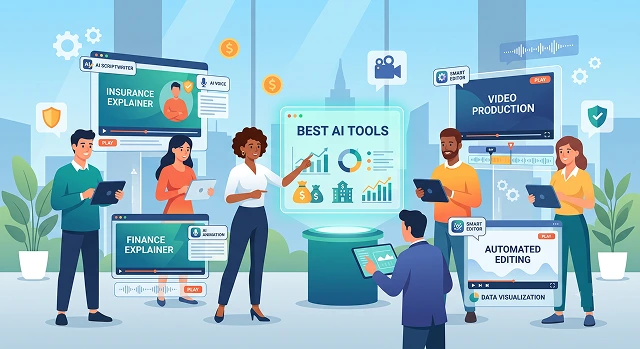
Communicating about insurance products, tax laws, or investment portfolios is challenging to do. It is hard to understand, it uses specialized language, and compliance is an ongoing challenge. Boring videos mean lost viewers, but if the videos are wrong, there may be serious legal repercussions.
Modern AI video engines allow creators and financial institutions to convert complex financial documentation into high-converting, compliant explainer videos in minutes. Here's a practical guide to the best AI tools for making insurance and finance explainer videos.
The Short Version
Want zero human-likeness risk and a genuinely deep library of finance-specific templates? Vyond's animated approach sidesteps a whole category of compliance questions that come with a human face on screen. Already sitting on webinars or quarterly commentary nobody's watching in full? Pictory is built for exactly that repurposing job. Need a consistent advisor-branded presenter across many videos? Synthesia. Working from existing SOPs, slide decks, or compliance documents you need turned into structured training video? Knowlify. And for burning in disclosure text that legal can lock down before anything ships? CapCut's captioning tools handle that final layer well.
1. Vyond — Best for Sidestepping Human-Likeness Risk
Vyond's biggest advantage in this specific niche isn't really about animation quality — it's that animated characters carry no human likeness risk at all. No advisor's face on screen making an implicit claim, no gray area around testimonials, no question about whether a synthetic presenter needs the same disclosures a real one might. For a compliance team, that's a genuinely simplifying factor before the creative work even starts.
Its finance-specific template library is also one of the deepest in this category — explaining how a money market account works, or walking a customer through a claims process, both come with existing starting points rather than a blank canvas. The trade-off is that you're locked into a stylized animated look; this isn't the tool for a cinematic brand film or a photoreal presenter.
Cost-wise — plans start in a range accessible to a marketing team, priced closer to professional software than a casual content app.
2. Pictory — Best for Repurposing Existing Financial Content
Banks and wealth firms tend to sit on genuine mountains of content — CIO market commentaries, recorded webinars, podcast interviews — that almost nobody watches start to finish. Pictory's core strength is pulling the genuinely useful minute out of a 40-minute recording and turning it into something shareable, rather than generating content from nothing.
For a compliance-heavy workflow specifically, that's often a lower-friction starting point than building new content, since the underlying material has usually already cleared review once. Repurposing an already-approved commentary into a short clip tends to move through legal faster than a brand-new script would.
Cost-wise — plans typically start around the $49/month range, scaling with export volume and video length.
3. Synthesia — Best for Consistent Advisor-Branded Presenters
For wealth management and advisory content specifically, personal-brand video tends to noticeably outperform generic corporate video on engagement, and a consistent AI presenter lets a firm scale that personal feel without scaling an actual advisor's calendar. Synthesia's avatar realism and natural gesture work hold up well enough for that branding use case, episode after episode.
Multilingual voiceover with finance-specific pronunciation matters more here than it sounds like it should — a mispronounced "fiduciary" or a phonetic mangling of a ticker symbol undercuts credibility fast. Worth testing your specific finance vocabulary before committing to a full production run.
Cost-wise — there's a limited free plan to test pronunciation and pacing, with paid tiers scaling for regular production and enterprise compliance features.
Side-by-Side At a Glance
Tool · Best For · Compliance Angle
| Tool | Best For / Compliance Angle |
|---|---|
| Vyond | Animated finance explainers with deep templates. Zero human-likeness risk since no real or AI face appears on screen. |
| Pictory | Repurposing existing webinars and commentary. Faster review since source material is often already approved. |
| Synthesia | Consistent advisor-branded AI presenter. Requires disclosure review for any implied advisor claims on camera. |
| Knowlify | Turns SOPs and compliance docs into structured video. Storyboard review step catches issues before rendering. |
| CapCut | Final disclosure and disclaimer text overlay. Locks required legal text in place before export. |
Request A Custom AI Video
Tell us what you're trying to create and we'll point you to the right tool — or help you set it up.
4. Knowlify — Best for Turning SOPs and Compliance Docs Into Video
A lot of the content that needs to become video in this space already exists as a document — a compliance SOP, a product PDF, an internal training deck. Knowlify is built specifically around that starting point, generating a storyboard from an uploaded document that you can review and edit before committing to a full render, which is genuinely useful for catching structural or accuracy issues early rather than after the video's already built.
It supports both animated explainer output and presenter-led avatar video from the same underlying pipeline, and exports with custom branding applied automatically. It's optimized for structured, educational output rather than cinematic or freeform generative footage — which, for compliance training and onboarding specifically, is exactly the right trade-off.
Cost-wise — the standard platform tier delivers a finished video quickly, with a higher-touch, human-reviewed tier available for content that needs extra scrutiny before publishing.
5. CapCut — Best for Locking Down Disclosure Text
Whatever tool generates your core video, getting a persistent, legally reviewed disclosure or disclaimer overlay right is its own separate job — and one that's easy to treat as an afterthought. CapCut's caption and text-overlay tools are straightforward enough that a legal-reviewed disclosure line can be added, positioned, and timed precisely, then locked as a final layer before export.
It's not doing anything compliance-specific on its own — there's no built-in disclosure template library — but as the practical tool for making sure required text actually appears, stays legible, and holds for the required duration on screen, it's fast and free.
Cost-wise — the core editing and text-overlay tools are free with no watermark.
A Note on Compliance — Please Actually Read This Part
This article covers video production tools, not legal or compliance advice, and it shouldn't be treated as either. Requirements like FINRA Rule 2210, SEC marketing rules, state insurance disclosure language, HIPAA for health-adjacent products, and PCI DSS for anything touching payments are genuinely serious, genuinely specific to your jurisdiction and product line, and need review from your actual compliance and legal teams before anything ships — a blog post about video tools can't and shouldn't replace that.
- Check where customer data goes. In case any prompt, script or upload might involve PII, check that your vendor complies with data handling, storage, and certification (SOC 2, ISO 27001, and others) standards before using customer information in any software.
- Disclose the content of the disclaimer prior to final export. That’s why the disclaimer gets treated like an add-on, and hence it becomes unreadable, untimely or even omitted.
- Document everything. In case you have to defend your video in an audit or an examination, the documentation of the review process will be as important as the video itself.
In this niche, the best video tool isn't the one that looks most impressive in a demo — it's the one that makes your compliance team's job easier, not harder.
Finance & Insurance AI Tools
Break down policies, explain risk graphs, and build trustworthy corporate presentations seamlessly.
The top platforms for financial communication include Vyond Go (the industry leader for rapid, professional 2D whiteboard animations and corporate character scenarios), Synthesia (unmatched for avatar-led policy explanations that look like high-end corporate training), and Fliki AI (perfect for turning complex financial blog posts or text outlines into videos with charts and natural voiceovers inside minutes).
Compliance is a massive hurdle in banking and insurance marketing. Never let an open text-generation engine write your final scripts without anchoring parameters. The professional strategy is to copy your compliance team's approved text directly into the AI video workspace. Use explicit formatting prompts like: "Convert this exact policy document into dialogue script. Do not summarize or alter any clauses, liabilities, or percentages. Add the standard legal disclaimer as a prominent lower-third text layout at the end."
Yes. Built-in charting features in tools like Vyond and Canva Video can read plain numeric data layouts and map them instantly into animated bar graphs, pie charts, or growth curves. As the AI speaker addresses a specific point (e.g., "portfolio growth over 5 years"), the graph scales upward dynamically, making numbers far more engaging for prospective clients than raw, static table layouts.
Avoid high-pitched, enthusiastic sales voices—they trigger skepticism when people are evaluating money decisions. Choose voice profiles tagged as "Professional," "News Anchor," or "Financial Educator" (available inside premium systems like ElevenLabs). Keep the vocal stability set high (around 70-80%). This gives the narrator a steady, grounded, and authoritative tone that commands trust during complex risk explanations.
Deploy an AI platform that supports an active Corporate Brand Kit (such as Synthesia or Vyond). Before generating your asset layers, input your enterprise parameters: lock in your official brand hex color values, upload custom corporate typography fonts, and anchor your brand logo paths. The platform automatically skins the slides, matching your marketing identity flawlessly.
Yes, this is an excellent tool for onboarding or walkthrough modules. High-end tools like Synthesia let you place a realistic avatar inside a split canvas layout right next to an interactive presentation deck. The avatar presents like a human advisor, explaining policy frameworks or mortgage applications step-by-step while maintaining clean eye contact and natural gestures, humanizing your technical data blocks.
Stick to a strict 3-Step Execution Pipeline: First, upload your compliant text summary to clear any legal constraints. Second, let the layout engine build your baseline storyboard with animated data charts and professional vocal narration. Finally, review the timeline to ensure lower-third text disclaimers are highly legible before exporting your polished 1080p master file for client presentations.
Ready to Build Your Next Explainer?
Turn a compliance-approved script into a video that's easy to review.